
Buying Guide
Buying Guide
Ten detailed guides covering laptops, gaming, software, collectibles, peripherals, phones and the iPhone — written so you choose correctly the first time.
- 10 guides covering the largest categories in the shop
- Practical advice, comparisons and the most common mistakes
- With direct routes to the products discussed
- Shipped from Thessaloniki across Greece, with business invoicing available.
The guides
How to read a buying guide
Every guide here follows the same logic, because it works in any product category.
Start from the use, not the specifications. "What will I do with it" determines everything. A laptop for Office and one for video editing have nothing in common, and a spec list will not tell you that.
Find the one feature that matters. In every category there is one that decides the experience and dozens that decide nothing. On a computer it is the drive, on a television the colour temperature and the sound, on a printer the cost per page. The guides say so explicitly.
Budget for what you will need alongside. The most commonly skipped step. A television needs sound and a mount, a projector needs a screen, a camera needs a card and a spare battery, a tool needs batteries and bits. These are not extras — they are part of the purchase.
Look at what it costs afterwards. Ink, filters, bags, spare parts. In several categories the running cost exceeds the price of the device within two years.
And three mistakes that repeat everywhere
1. Buying by a single number. Watts, megapixels, inches, GHz. None of them means anything on its own — and cheap products are advertised on precisely the number that sounds impressive.
2. Over-buying "for the future". Buying far more than you need rarely pays off. In most cases, by the time you need it there will be something cheaper and better.
3. Ignoring the consumable. A cheap machine with expensive or hard-to-find consumables is an expensive purchase. Always ask what it takes and what it costs.
And the simplest of all: if you are unsure, ask us before ordering. One question beforehand saves a return afterwards.
Frequently asked questions
- Which guide should I read first?
- The one matching the category you are interested in. Each guide stands on its own.
- Are they up to date?
- The guides are refreshed. If something looks out of date or you have a question, write to us.
- Can I ask about a specific product?
- Yes, and it is the fastest route. Tell us what you want to do and we will recommend.
- Do you issue invoices?
- Yes, for businesses and self-employed professionals.
Choose a guide above — and remember the two that apply everywhere: start from the use and budget for what you will need alongside.
Software buying guide – Windows, Office, antivirus & licences Updated: 21 September 2026 · Techbox, Thessaloniki What to check before buying software: which Windows edition you need, Office as a one-off purchase or a subscription, how many devices an antivirus covers, and what an electronic licence means. Contents Windows: Home or Pro?...
Gaming buying guide – Consoles, games & accessories Updated: 21 September 2026 · Techbox, Thessaloniki Which console suits whom, disc or digital, what the PEGI rating means and which accessories you actually need. The guide to buying right the first time. Contents Which console? Disc or digital? The PEGI rating The accessories worth...
Collectibles buying guide – Figures, Funko, cards & gifts Updated: 21 September 2026 · Techbox, Thessaloniki Prize figure or scale figure? What is a Funko Chase? How do you spot the genuine article? What to know before buying a collectible, for your own collection or as a gift. Contents The kinds of figures Funko POP Genuine or fake?...

Mobile buying guide – Cases, glass, chargers & phones Updated: 21 September 2026 · Techbox, Thessaloniki The case must fit the exact model, the glass the right screen type, and the charger the right power. Everything that keeps your phone safe and charged, without unnecessary purchases. Contents Cases: only for the exact model Tempered...
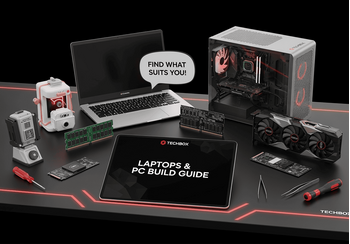
Laptops & PC build buying guide – Parts, compatibility & mistakes Updated: 21 September 2026 · Techbox, Thessaloniki Laptop or desktop? And if you are building a PC, which parts fit together? The guide to CPU, motherboard, graphics card, memory, drives and power supply, and the mistakes that cost money. Contents Laptop or desktop? CPU and...
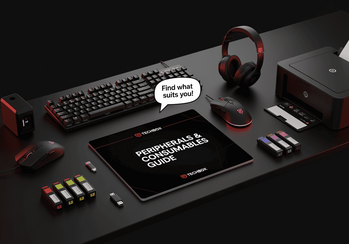
Peripherals buying guide – Monitors, keyboards, printers & supplies Updated: 21 September 2026 · Techbox, Thessaloniki What a monitor’s Hz means, which switches make a mechanical keyboard, which printer costs less over time, and when a compatible ink is worth it. What to know about everything you plug into a computer. Contents Monitors...
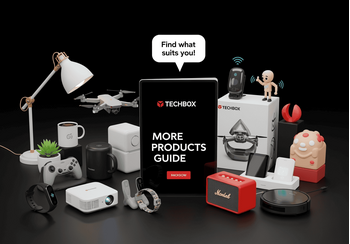
Buying guide – Gadgets, smart home, TV & audio and tools Updated: 21 September 2026 · Techbox, Thessaloniki What does not fit the big categories but every home needs: gadgets, security and smart home devices, TV and audio, tools and office equipment. What to check in each. Contents Smart home and security TV, audio and gadgets Home,...
No posts found
Write a review