
Monitors & Mounts

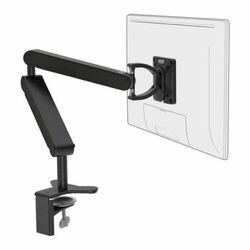
Monitors and Mounting Stands
707 products: 633 monitors for office, gaming and creative work, and 74 arms, stands and accessories to put them at the right height.
- 633 monitors for every use and size
- 74 arms, stands and mounting accessories
- For one, two or more monitors on one desk
- Shipped from Thessaloniki across Greece, with business invoicing and standing orders for offices with steady consumption.
The monitor is half the workspace
It is the component you look at eight hours a day and the one you keep longest — a good monitor outlives two or three computers. Even so, it is the first place where people economise.
The other half is where it sits. An excellent monitor placed low, on its own foot, makes you hunch all day. An arm brings it to eye level and frees the entire desk beneath it.
The two categories
The right position, in three numbers
Height: the top edge of the screen at eye level or slightly below. If you have to raise your chin, it is too high; if you hunch, too low.
Distance: roughly the length of your outstretched arm. Closer tires the eyes, further makes you lean forward.
Tilt: slightly back, so the surface is perpendicular to your line of sight.
All three can only be set properly if the monitor foot allows it — otherwise you need an arm.
Browse the rest
Frequently asked questions
- Do I need an arm?
- If your monitor has no height adjustment, yes. It is the cheapest intervention for good posture and a clear desk.
- Are two monitors worth it?
- For work with many open windows, clearly. A dual arm keeps them aligned and at the same height.
- Does any stand fit any monitor?
- It needs a compatible VESA pattern and a suitable weight rating. Both are stated in the specifications.
- How far away should I sit?
- About the length of your outstretched arm, with the top edge of the screen at eye level.
Choose a monitor first, then how it will stand. Stands and arms cost very little against chronic neck pain.