
How Can I Pay with an RF Code
How to Pay via RF Payment Code
At a glance
- Where: in your Web or Mobile Banking, Payments menu
- Option: Universal Payment Transaction (RF)
- What you need: the RF code from your email and the exact amount
- Receipt: not needed, confirmation is automatic
We created this simple guide to help you complete your payment in seconds.
Note: This example uses Piraeus Bank, but the process is identical across all major banks (Alpha, National Bank, Eurobank, etc.) via Web or Mobile Banking.
Note: This example uses Piraeus Bank, but the process is identical across all major banks (Alpha, National Bank, Eurobank, etc.) via Web or Mobile Banking.
1
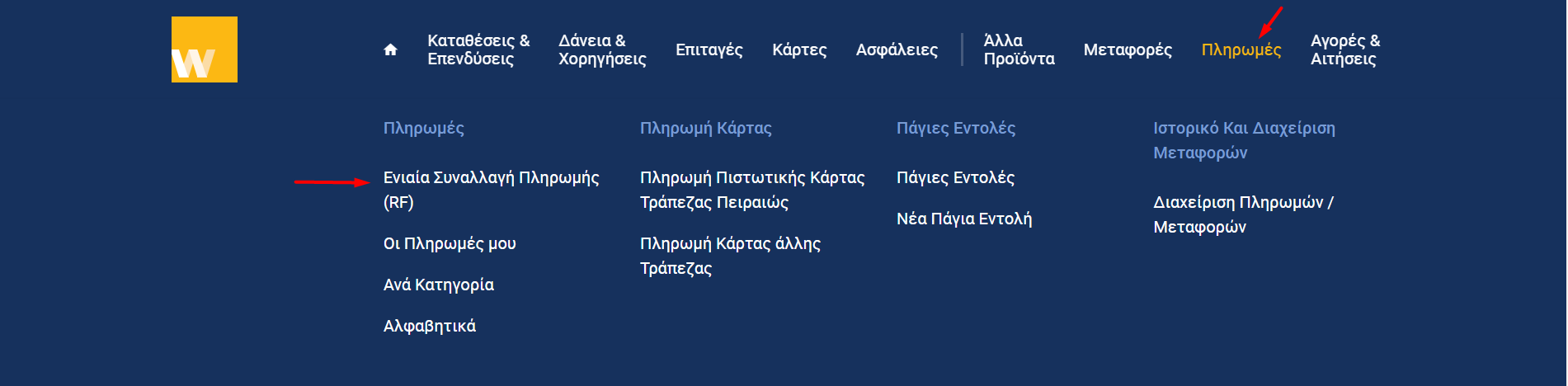
Select "Universal Payment Transaction (RF)"
Log in to your Web Banking, navigate to the Payments menu, and search for "Universal Payment Transaction (RF)".
2
Fill in your Order Details
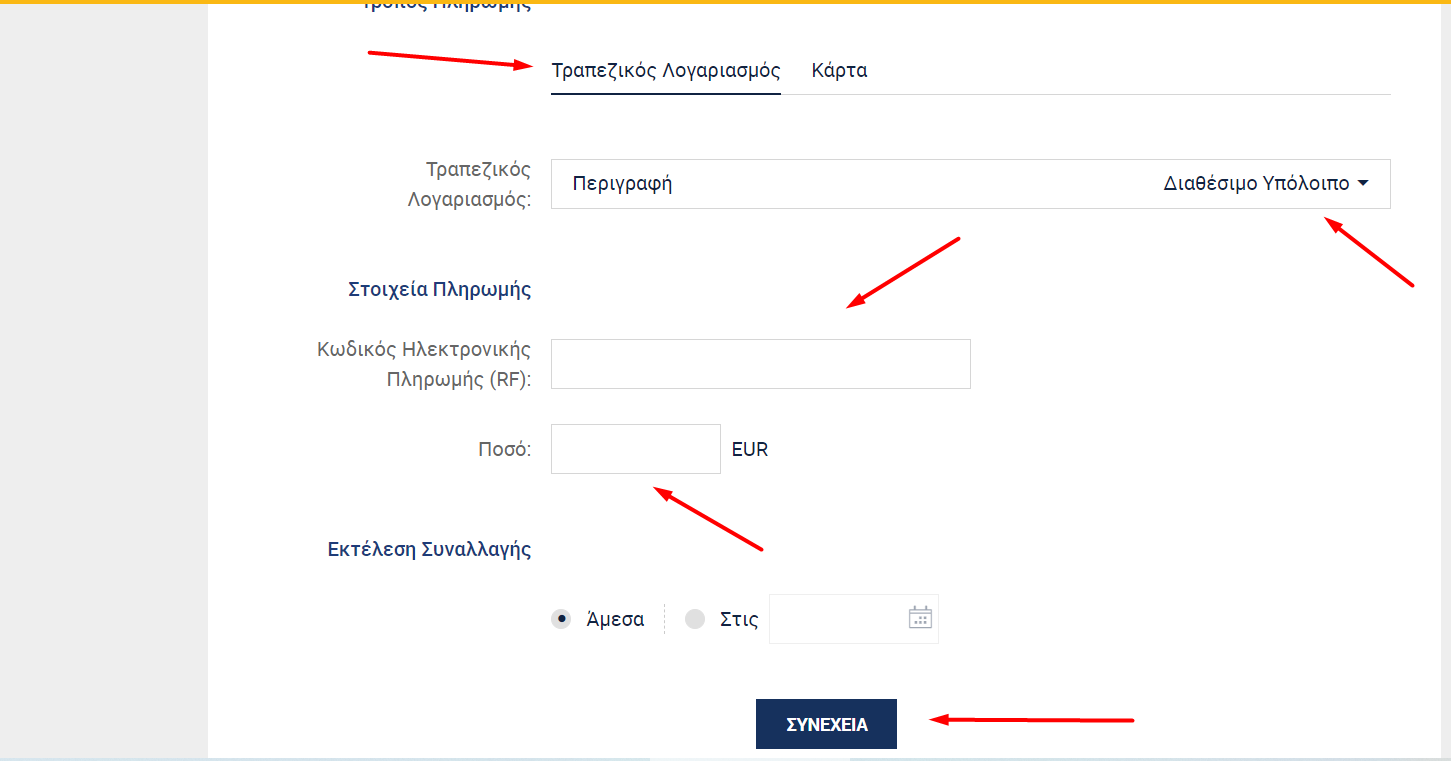
In the form provided, follow these steps:
- Debited Account: Choose the bank account you wish to use.
- Payment Code: Enter the unique RF code (e.g., RF12 3456...) found in your automated order confirmation email.
- Amount: Enter the exact total amount of your order.
Frequently Asked Questions
Do I need to send a payment receipt?
No. Our system is automatically notified of the payment.
Does it only apply to Piraeus Bank?
No. The example uses Piraeus Bank, but the process is identical across all major banks via Web or Mobile Banking.
Where do I find the RF code?
In your order confirmation email, in the form RF12 3456...
What amount should I enter?
The exact total amount of your order.
When will I be notified that payment was received?
Once verified by our sales department, you will receive a new automated email about your shipment.