


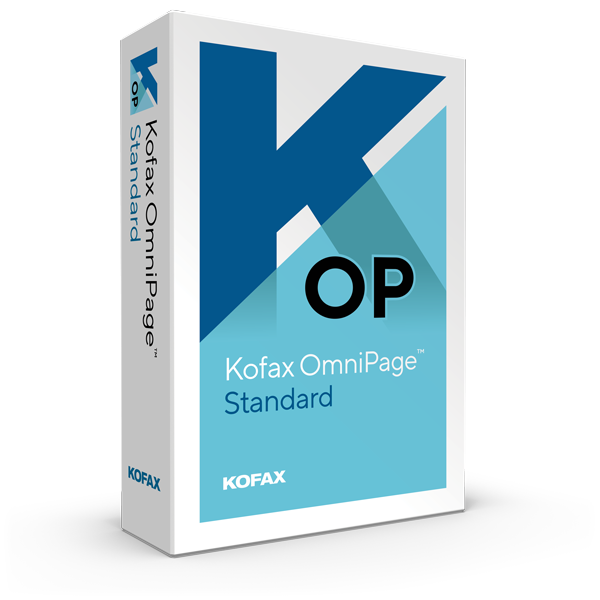
Kofax OmniPage 18.0 Standard for Windows - 1 User - Lifetime - Multilingual - ESD


Kofax OmniPage Standard
Turn PDF files and images into usable digital files
Whether you are a small business or a private user - documents are your life. Previously, converting paper documents to PDF files could lead to errors that increased costs and decreased productivity. Digitization begins with a time-saving solution for the precise conversion of documents and makes them editable and searchable.
Kofax OmniPage Standard accurately digitizes files so that any document is now easily convertible, editable, and searchable. With Kofax OmniPage Standard, you can cut costs, reduce the time it takes to convert files, and manage your documents with ease.

Convert any type of document with precise OCR technology
Digitize documents with columns, tables and graphics true to the original
Support of all document and image formats
Convert documents quickly and accurately
To organize your personal files and the home office, you need seamless digitization of your paper documents. Kofax OmniPage Standard provides the flexibility, accuracy, and accessibility you need for all of your document conversion needs.
Digitize your documents so that you can act today according to the motto “Work like Tomorrow”
With Kofax OmniPage Standard, you can work today like tomorrow's workforce. Generate accurate and efficient document conversions by:
Highest Word Accuracy
Turn words on paper and images into accurate text for excellent conversion and archiving.
Intuitive User
Experience Convert documents quickly with easy-to-use tools and flexible options.
One-click workflows
Use the built-in workflows or create your own to do recurring conversions quickly and easily.
Keep formatting
The converted document looks exactly like the original.
Amazon Kindle Integration
You can scan a document, automatically convert it to a readable format, and send it to the Amazon® Kindle® electronic reader, all in one simple step.
Supported Applications
Our solution supports a wide variety of output formats including PDF, Microsoft® Word, Excel®, PowerPoint® 2007, Corel® WordPerfect®, HTML and many more.
Automating documents sent by e-mail
You can receive scanned documents or PDF files using Microsoft Outlook®.
Speech recognition
Process, modify and save documents from all over the world. The tool recognizes more than 120 languages.
Photo
Conversion Convert any picture or photo to a format readable by mobile devices or electronic readers.
Advantages of OmniPage Standard:
Better Accuracy = Better Editing
Don't waste time retyping paper documents. Typing out a 20-page document (6,000 words) takes an average of two and a half hours (150 minutes). Kofax OmniPage converts the same 20-page
document into an editable file in the format of your choice in less than 2 minutes. Not only is it faster, it's also more accurate. In other words: You can do more with it than ever before.
Kofax OmniPage is ideal for on the go.
Capture text with any device, e . B. your digital camera, portable scanner, or all-in-one printer. The Kofax OmniPage works with any device that can capture documents as image files.
Supports all common PC applications
Kofax OmniPage Standard supports numerous output formats:
PDF, Microsoft® Word, Excel, PowerPoint® (pptx), HTML, Corel® WordPerfect®, ePub and many more
- Edit scans, images or PDFs at lightning speed in your usual applications.
- Increase your productivity: OmniPage works quickly and smoothly with all scanners, all-in-one devices and digital cameras.
- Have photographed images of documents sent to you automatically by email using Microsoft Outlook.
- Format retention: The converted documents look exactly like the original.
Features of OmniPage Standard:
Excellent word recognition
Thanks to the high-precision recognition of words in paper and image files, documents can be reliably converted and archived.
Perfect formatting
The converted documents are indistinguishable from the original - including all columns, tables, numbering and graphics. This makes editing easier than ever.
Easiest to use
Converting documents doesn't have to be complicated. With the new start page, everything is done in seconds, without much training.
One-Click Workflows
Use pre-defined workflows or create your own to perform routine tasks with just a click of the mouse.
Make PDF files editable
The eDiscovery Assistant ensures that only non-searchable items are processed and that original searchable content remains intact. This
saves you having to open individual PDF files or OCR processes that can accidentally delete important information.
Send to Amazon® Kindle® Scan
a document, have it automatically converted to a readable format, and send it to your Amazon Kindle - all in one simple step.
Supports all common PC applications.
Supports numerous output formats, including PDF, Microsoft Word, Excel, PowerPoint, Corel WordPerfect, HTML and many more.
Process documents received by email automatically
You can now receive scanned documents or PDFs by email through Microsoft Outlook. OmniPage will automatically convert the documents and save them in your preferred file format.
Recognition of over 120 languages
Convert, edit and archive documents from all over the world with ease. OmniPage recognizes languages based on the Latin, Greek, and Cyrillic alphabet, as well as Chinese,
Japanese, and Korean.
A picture is
worth a thousand words Convert pictures from your iPhone®, iPad® or digital camera into a readable format - ideal for mobile devices and eBook readers. Save time, increase your productivity and concentrate
on your core business. Discover the benefits of the Kofax OmniPage today.
System requirements:
- Computer with Intel Pentium 4 or equivalent or higher processor
- Supported Operating Systems: Windows 10; 32-bit or 64-bit edition - Windows 8.1; 32-bit or 64-bit edition; Windows 7; 32-bit or 64-bit edition with Service Pack 1
- 512 MB working memory (RAM), 1 GB recommended
- 700 MB of free hard disk space required for application files, additional hard disk space for temporary installation files, and additional user interface languages
- You must be connected to the Internet to register and activate your product, get help, and get online updates
- Microsoft .NET Framework 4.5. If this component is not found, it will be installed with the product.
NOTE: Performance and speed are increased when the processor, memory, and available disk space of your computer
- Windows
The price has not changed yet. We will show it on this chart once it changes
No reviews found