


CorelCAD 2023 Full Version for Windows/MAC - Lifetime - Multilingual - ESD


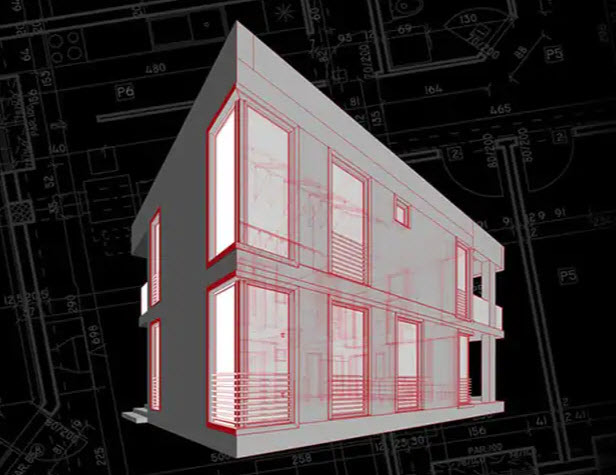
CorelCAD 2023 (Windows/Mac)
CAD software
- CAD program for professional 2D drawing creation and 3D construction
- Compatibility with .DWG, .STL, .PDF and .CDR* industry standards
- Time-saving collaboration and project sharing
- Optional automation and customization
Professional, Affordable, and Simple CAD software solution
CorelCAD™ is a cost-effective CAD solution with 2D drafting and 3D design tools designed for architecture, engineering and construction (AEC) and manufacturing professionals, where maximum precision is required. Native support for the .DWG file format ensures efficient collaboration. .STL support also enables productive 3D output.
To watch video:
*Ribbon interface, drawing tabs, import and export functions for CorelDRAW (.CDR) and Corel DESIGNER (.DES) file formats, advanced PDF options (bitmap resolution), support for 3Dconnexion input devices and Microsoft VSTA are only available in CorelCAD for Windows.
CAD program for 2D drafting, 3D design and 3D printing

Rapid conceptualization
CorelCAD provides a powerful collection of design tools built specifically for manufacturing, construction, and engineering professionals. Design, project, draw, plan and edit with the help of leading CAD software. The extensive range of functions enables the creation of sophisticated 2D drawings.
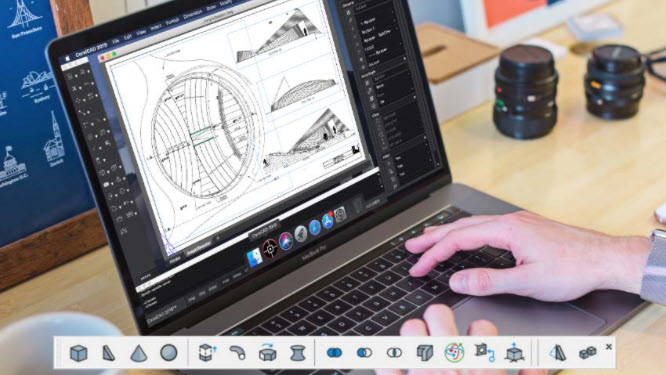
Effortless Conversions Convert
2D drawings into 3D models in just a few clicks with the advanced tools and features in this CAD program. CorelCAD enables you to complete your projects quickly and in compliance with all specifications, project parameters and industry standards.
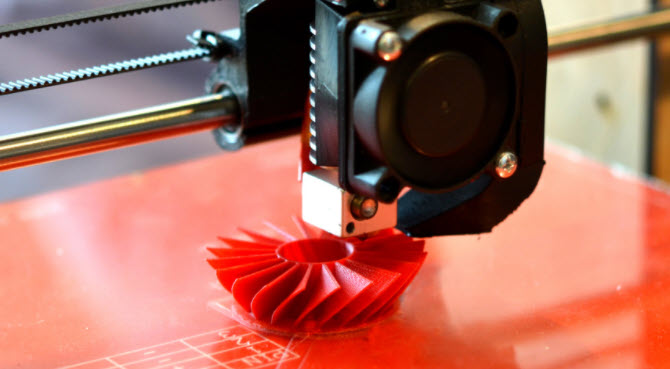
Highest output
accuracy Produce high-quality work with powerful 3D design software for text, graphic or tactile output. CorelCAD's rich capabilities make it easy to handle almost any technical design task, making it easy to collaborate with colleagues and everyone else. 3D printing is also very easy thanks to the .STL support for 3D printers or for 3D output.

Efficient Execution
With CorelCAD, you create detailed projects on time and with the utmost precision. Native support for the .DWG file format of the current AutoCAD version ensures seamless collaboration. With countless customization and automation options, this CAD program can be tailored to any work environment.
A cost effective alternative with industry standard CAD capabilities
The powerful design tools in CorelCAD 2023 CAD software make it easy to get the best results.
productivity
With industry-leading design resources and features, you'll create professional-looking projects in no time.
Data Link Command
In CorelCAD, tables linked to XLSX or CSV file data can be inserted. With XLSX files, the "entire table", a predefined, "named range of cells" or a "range of cells" of selected XLSX files can be easily linked.
Industry-standard CAD capabilities
CorelCAD is compatible with all major CAD programs. Familiar commands and toolbar items make it easy to get started.
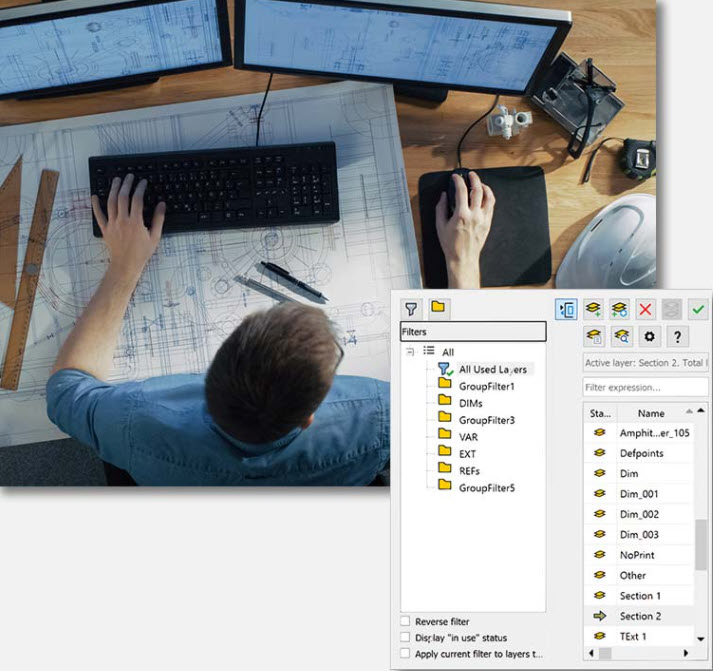
Layers Palette
Quickly access layer controls without leaving the drawing surface. Combine several layers into one target layer.
Layer grouping filter
Group all referenced layers from other drawings that are automatically created when external references are attached.
Design Resources
You can access and manage design components (blocks, styles, drawings, and images) for a variety of CAD projects.
2D drafting software
The extensive range of functions makes it easier to create 2D drawings and designs.
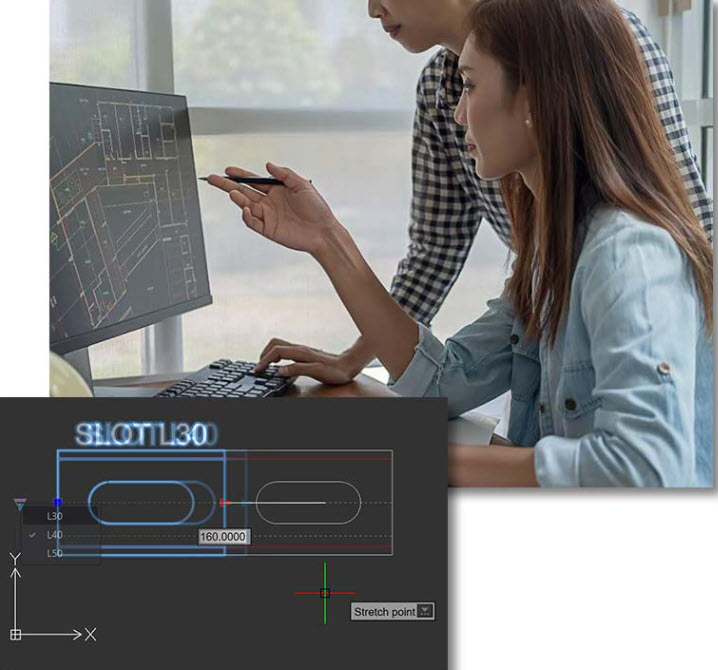
Associative Patterns
By using associativity in the Pattern command, objects and patterns can be duplicated in the same perspective along a path to quickly create larger and more complex graphics.
Custom Block Features Save a custom
block (symbol definition) as a separate drawing with the new BBBLockWriteAs command, or test custom block definitions without leaving the block editor.
Drawing
Constraints Features See how the new SetConstraintNameFormat command can be used to set how dimension constraints are displayed and geometric shapes satisfy dimension constraints.
Multiple leaders and dimensioning tools
Configure labels and leaders that adjust automatically. Create a new dimension style from an existing dimension and use the intelligent dimensioning tools to achieve the highest level of accuracy.
Object Snaps and Grips
Object snaps, grips, and polar guides let you redistribute objects. Context menus allow interactive editing of geometric shapes.
3D modeling
Advanced technical tools simplify professional output.

Tools for 3D construction and 3D editing
Create a wireframe structure from the edges of a 3D solid, 3D surface, 3D mesh, or 3D region. Use the 'OffsetEdges' command to create 2D elements from the boundaries of 3D solids or 3D surfaces.
STL file import
Import stereolithography files (*.stl) to insert the 3D objects they contain. If you import 3D constructions, you can further modify them.
Polysolids - Tools for editing and modeling 3D solids
Use 'PolySolids' to create 3D solids in the form of polygonal walls. Bevel the edges of 3D solids with 'Chamfer Edges' and take advantage of the 'Face' and 'Loop' options.
From 2D to 3D
Create a 2D design in CorelCAD or import a 2D design from CorelDRAW and convert it to 3D. Extrude, revolve, or sweep 2D elements along a path to transform 2D drawings into 3D models.
3D mouse support
Use 3Dconnexion* input devices to navigate in 3D.
Commenting and Collaboration
Insert recorded messages, hints or instructions into your drawings.
Drawing Compare Palette
Compare two CAD files and highlight tracked changes with different colors. Designers can see edits, present various options to stakeholders, and determine workflow changes.
Seamless
AutoCAD Compatibility Open, edit, and save files in the latest AutoCAD .DWG file format—dynamic blocks can be edited and saved as custom blocks.
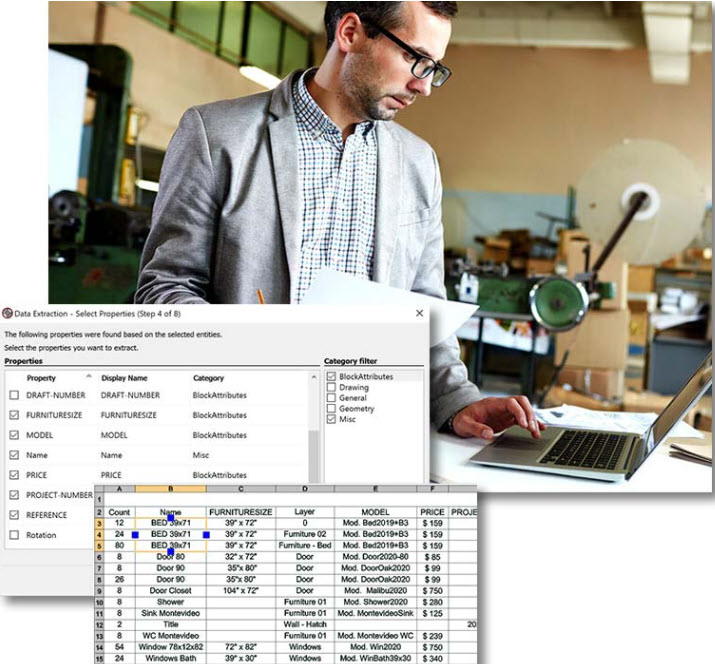
Data Extraction Wizard
Use the Data Extraction Wizard to set or block object attributes and extract information.
CorelDRAW and Corel DESIGNER file format support*
Import and export CorelDRAW® (.CDR) and Corel DESIGNER™ (.DES) files into CorelCAD on Windows, enabling a seamless workflow between CAD and graphics programs.
Comments and
Markups Insert recorded messages, reminders, or instructions into the drawings with the "Voice Memo" tool. Highlight or mask portions of a drawing to prevent comments from being made.
compatibility
CorelCAD stands out for its excellent platform, print and peripheral support.
Platform Support
Enjoy a native CAD software experience on Windows or Mac. Benefit from industry-standard features and support for the latest operating systems.
3D Printing
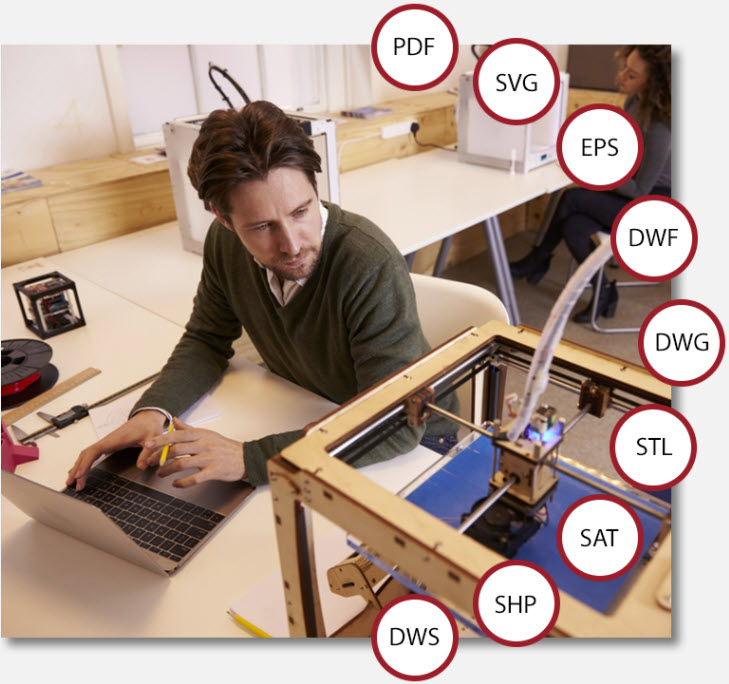
Export 3D solids to .STL, the most common file format for 3D printing. The STL support enables a direct connection to 3D printers and thus the printing of 3D prototypes or the output to 3D printing service providers.
3D Mouse
Use 3Dconnexion* input devices to navigate in 3D. Rotate 2D and 3D drawings using the 3D mouse cap. The 3D mouse buttons can be assigned preferred navigation settings or custom commands.
AutoCAD functions and files
Open, edit and save files in the latest AutoCAD .DWG file format. This ensures rapid cooperation with colleagues, suppliers and business partners. Easily edit AutoCAD-derived dynamic blocks with .DWG file format support.
File Support
CorelCAD supports leading formats such as .PDF, .SVG, .EPS, .DWF, .STL, .SAT, .SHP, and .DWS. CorelCAD for Windows supports importing from and exporting to CorelDRAW (.CDR) and Corel DESIGNER (.DES).*
*Ribbon interface, drawing tabs, import and export functions for CorelDRAW (.CDR) and Corel DESIGNER (.DES) file formats, advanced PDF options (bitmap resolution), redesigned Print dialog box, Support for 3Dconnexion input devices and Microsoft VSTA is only available in CorelCAD for Windows.
†Note: When CorelCAD 2023 is purchased and installed from the Apple Mac App Store, the PDF/DGN underlay and Pack and Go features are not available and the plugin store cannot be accessed.
Mac and macOS are trademarks of Apple Inc. All other trademarks mentioned herein are the property of their respective owners.
^2D drawing and editing features, advanced annotation tools such as VoiceNote and PictureNote, and the command list are only available in the "full mode" app and require a subscription purchased directly from the CorelCAD Mobile app on Google Play or iTunes can be purchased.
System requirements:
Windows® version
- Microsoft Windows 11 or Windows 10 (version 21H1 or newer), 64-bit with the latest updates
- Intel Core 2 Duo or AMD® Athlon™ x2 dual-core processor;
- 4 GB RAM (8 GB or more recommended)
- 1.5 GB free hard disk space*
- 3D graphics accelerator with OpenGL version 1.4 (OpenGL version 3.2 or better is recommended)
- Screen resolution of 1280 x 768 (recommended is 1920 x 1080 (Full HD))
- mouse or tablet
- Internet connection for product activation and access to the plugin store
Mac version
- macOS Monterey (12), macOS Big Sur (11), or macOS Catalina (10.15) with the latest revision
- Mac with Intel Core 2 Duo processor (or better) or Apple M1 processor
- 4 GB RAM (8 GB or more recommended)
- 1.5 GB available hard disk space
- 3D graphics accelerator with OpenGL version 1.4 (OpenGL version 3.2 or better is recommended)
- 1280 x 768 display (recommended is 1920 x 1080 (Full HD))
- mouse or tablet
- Internet connection for product activation and access to the plugin store
Language Support: English, German, Spanish, Czech, French, Italian, Polish, Brazilian Portuguese, Russian, Turkish, Japanese, Simplified Chinese, Traditional Chinese and Korean.
- Windows
- Android
The price has not changed yet. We will show it on this chart once it changes
No reviews found
- Similar Products
- Recently Viewed
© 2010 - 2026 Techbox. We ❥ new ideas