


Adobe Premiere Elements 2024 for MAC - Lifetime - Multilingual - Ηλεκτρονική Άδεια


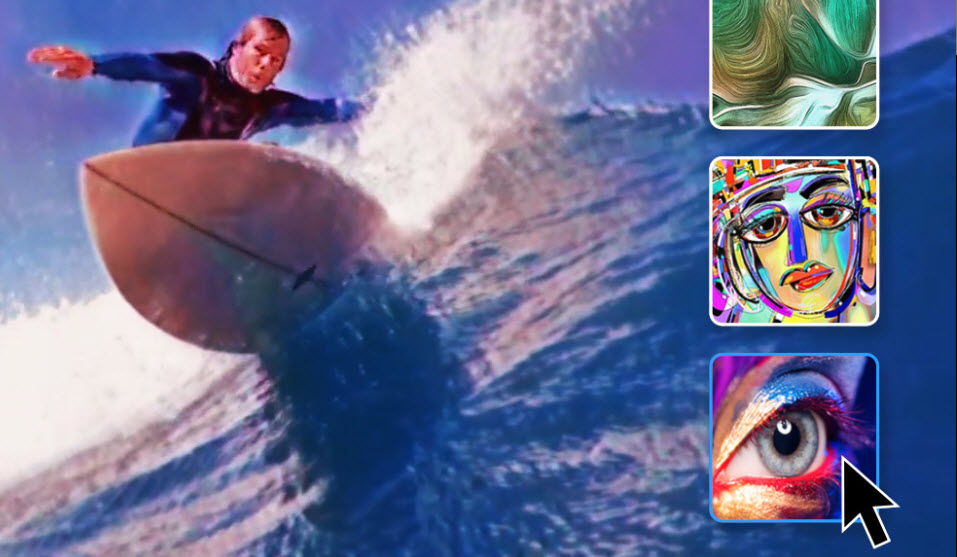
Adobe Premiere Elements 2024
Sensational videos in seconds.
AI, automation and a refreshed user interface make video editing easier.
Edit videos with AI power. Create animation and audio effects. Share on social media.
Sensational videos in seconds. AI, automation and a refreshed user interface make video editing easier than ever. Automatically balance the colors of a video or photo. Create highlight reels from your best shots. Do more with your videos with new audio effects and modern new graphics. The new look of the program provides a completely new editing experience. And with the web version and mobile app you can be creative on the go (beta versions, only in English). Your photos and videos are automatically synced across all devices.
CLASSIC
Popular features.
Use the following features to customize details or give your videos a whole new look.
AI AND AUTOMATION.
Edit videos with the power of AI.
Adobe Sensei* AI technology and automated options do the work for you. This means you can concentrate entirely on implementing your ideas.
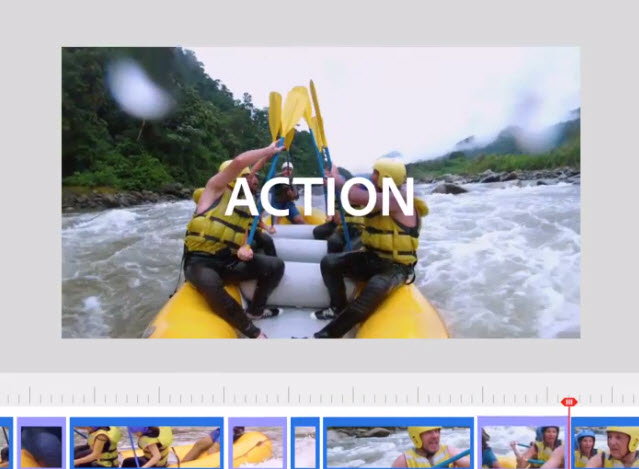
HOW-TOS.
Expand your skills with how-tos.
26 how-tos show you step by step how to make quick corrections, apply film effects or insert funny animations.

TEMPLATES.
Save time with templates.
Showcase your most beautiful clips with highlight reels, slide shows, collages, motion titles and animated social posts.

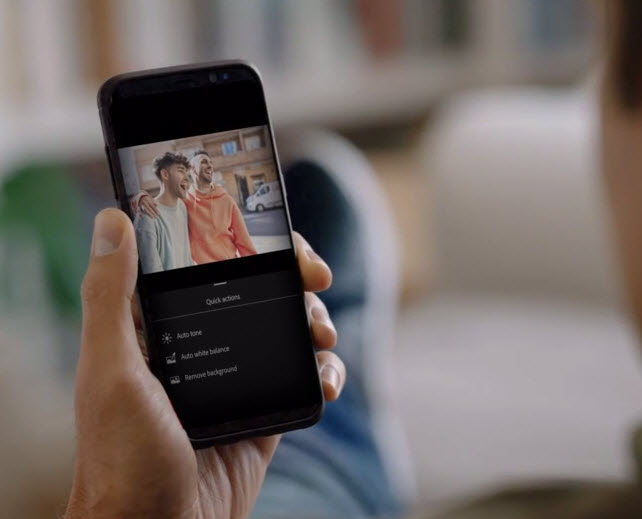
WEB AND MOBILE VERSIONS.
Let your creativity run wild even on the go.
Open, edit and share your photos and videos with Elements on your desktop, smartphone or tablet. (BETA VERSIONS, IN ENGLISH ONLY)
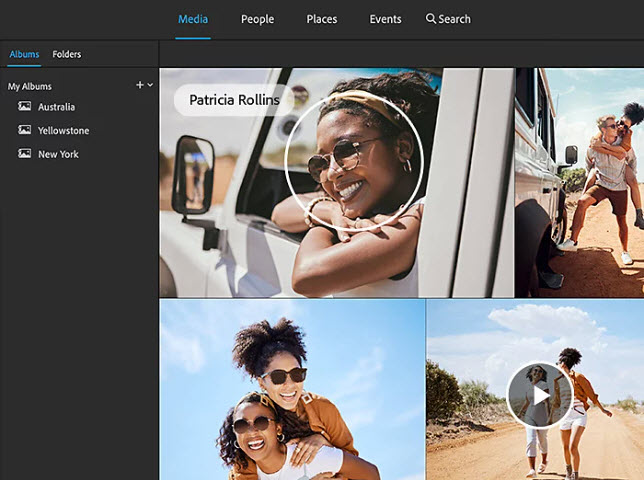
ADMINISTRATION.
Easily manage your photos and videos.
Organize your video collection with automatic sorting and backup. Accelerate searches with automatic tagging, automatic curation and facial recognition.
NEWS.
Fresher. Better. More creative.
- NEW: Adjust color and tone with 1 click—Select one of the integrated presets or your own photo or video. Click once, then tweak the hue, saturation, and brightness.
- NEW: Automatic highlight reels of your best clips - Artificial intelligence and automated options turn your clips into videos that are viewed again and again - selected by people, movement, close-ups or quality. Based on Adobe Sensei.
- NEW: New audio effects—effects such as reverb, voice optimization and DeHummer create a new sound experience.
- UPDATE: View and share photos and videos in the browser (Beta, English only)—Open your photos and videos edited in Premiere Elements from any browser. Create and share collages and slide shows across various media.
- NEW: Refreshed user interface - The revised interface offers modern fonts, icons, buttons and colors that are easy on the eyes. Also switch between light and dark mode.
- NEW: New graphics—Highlight important moments or simply make a video more beautiful with modern new graphics.
- UPDATE: Edit videos on the go (Beta, English only)—Use the redesigned mobile app to transfer photos and videos from your smartphone or tablet to Elements on the desktop or web. Edit your images and clips with the desktop version's advanced tools. View finished creations on any device.
- NEW: Automatically sync photos and videos across devices (Beta versions, English only)—Sync your files between Elements Organizer and the web and mobile versions.
System requirements:
macOS:
- 6th generation Intel processor or higher; Apple M1 processor or higher
- macOS 12; macOS 13 (13.4 or later)
- 8 GB of RAM
- 6 GB of free hard disk space for installation; additional storage for downloading online content; Additional storage for temporary files during installation and use (cannot be installed on case-sensitive file systems or portable flash storage media)
- 1280 x 800 point monitor resolution at 100% scaling
- Internet connection for product activation and content download
Recommended specifications for Windows and Mac:
- 7th Gen Intel processor or higher or equivalent AMD processor with SSE4.1 and AVX support
- 16GB RAM for HD media
- 32GB RAM or more for 4K media
- 4GB VRAM for GPU acceleration**
- Powerful internal SSD for installation and cache
- Additional high-speed media drive(s).
Import/Export formats supported by Premiere Elements:
AVCHD (import), MPEG-1 (import), MPEG-2 (import), MPEG-4 (import), HEVC (import), DV-AVI (import under Windows), Windows Media (import under Windows), Apple ProRes (Import), H.264, HDV, MP3, QuickTime (certain codecs) and others.
Supported languages:
- English, French, Italian, German, Japanese, Dutch, Polish, Swedish, Spanish and Czech
*Adobe Sensei is an artificial intelligence and machine learning technology. It makes it easier and faster to create and deliver digital experiences with Adobe products.
**The recommended graphics cards are listed at https://helpx.adobe.com/gr_en/premiere-elements/using/gpu-acceleration.html
Σημαντικές Πληροφορίες:
1) Λόγω της φύσης του προϊόντος (άϋλο προϊόν) παραλαμβάνοντας το email με το κλειδί του προϊόντος, δεν υπάρχει δυνατότητα επιστροφής ή ακύρωσης της παραγγελίας σας καθότι σας έχει κοινοποιηθεί.
2) Μαζί με το κλειδί σας αποστέλλονται και οδηγίες εγκατάστασης. Η Εγκατάσταση του προϊόντος παρόλα αυτά απαιτεί καλή γνώση εγκατάστασης προγραμμάτων και υπολογιστών.
Αποδεδειγμένα λαμβάνουμε όλες τις άδειες χρήσης λογισμικού σε ολόκληρο το χαρτοφυλάκιο προϊόντων μας απευθείας από τους κατασκευαστές ή/και από τις εταιρείες διανομής που έχουν αναθέσει και εξουσιοδοτήσει οι κατασκευαστές.
Με την αγορά αυτού του είδους έχετε αγοράσει αυτόματα υποστήριξη εγκατάστασης από τον κατασκευαστή του προϊόντος. Οι κατασκευαστές μπορούν να χρησιμοποιήσουν εις βάθος γνώση και τεχνικά εργαλεία για να αναλύσουν γρήγορα και να επιλύσουν τυχόν προβλήματα εγκατάστασης ή προβλήματα στη ροή του προγράμματος που μπορεί να προκύψουν.
Για το λόγο αυτό, ζητάμε την κατανόησή σας ότι, προς όφελος όλων των πελατών, η τηλεφωνική μας γραμμή και το Support email μας δεν μπορεί να είναι διαθέσιμο για γενικές συμβουλές εγκατάστασης ή τηλεφωνική υποστήριξη . Για αυτόν τον λόγο, εάν αντιμετωπίζετε προβλήματα με την εγκατάσταση* ή την εγγραφή του προϊόντος σας, επικοινωνήστε με τον κατασκευαστή.
3) Εάν αντιμετωπίσετε κάποιο πρόβλημα που αφορά αποκλειστικά το κλειδί που αγοράσατε, σας παρακαλούμε επικοινωνήστε με το support της εταιρείας μας συμπεριλαμβάνοντας πάντα printscreen με το πρόβλημα.
4) *Εάν δεν έχετε τις απαιραίτητες γνώσεις/ή τον απαραίτητο χρόνο και δεν μπορείτε να ολοκληρώσετε την εγκατάσταση μόνοι σας, φυσικά μπορούμε εμείς να κάνουμε την εγκατάσταση του προϊόντος, εφόσον μας το ζητήσετε, με μια επιπρόσθετη χρέωση ή απλά επιλέγοντας το αντίστοιχο πεδίο "Υπηρεσία Εγκατάστασης" κατά την αγορά του προίόντος.
- MAC
The price has not changed yet. We will show it on this chart once it changes
No reviews found
- Similar Products
- Recently Viewed
© 2010 - 2026 Techbox. We ❥ new ideas