


Adobe Photoshop & Premiere Elements 2026 for Windows/MAC - 3 Years - Multilingual - Ηλεκτρονική Άδεια



Adobe Photoshop & Premiere Elements 2026
Photo and video editing for everyone.
Get the most out of your photos and videos – with AI, automation, and creative options. Available as a 3-year license .
Photoshop Elements & Premiere Elements 2026 is a software duo that offers two intelligent, easy-to-use programs for photo and video editing. Even without prior experience, you can optimize snapshots, trim and scale video clips, and enhance your photos and video stories with text and effects. The software offers:
- Easy editing supported by AI and automation
- How-tos that help you learn new techniques directly within the program
- Creative options for designing and sharing photo projects and for optimizing video footage
- An organizer for quickly importing, tagging, and searching photos and videos.
New features:
Draw over an area of the image and add image content via prompt.
Editing 360-degree and VR videos.
Simply enter a text description to generate a new background or image.
Discover more movement titles and text formats.
Restore old or damaged photos with AI.
Discover your possibilities with Photoshop Elements & Premiere Elements.
Edit images and videos with AI power and automation.
Generate completely new images and backgrounds. Add new image content. Trim or resize clips. Or mix music to fit the length of the video.
Popular features.
Change the photo background. Adjust facial features. Reduce noise with a click. Or create stop-motion movies.
Learn more with how-to guides.
Want to change the color or exposure in a photo? Create videos with a double exposure effect? With integrated how-to guides, you can expand your skills step by step.
Get creative with templates.
Showcase your photos and videos in photo rolls, highlight reels, collages, and slideshows. Choose from thousands of free Adobe Express templates for social media posts, videos, or posters.
Organize your media effortlessly.
Bring order to your video collection with features for quick import from popular cloud services, automatic sorting, and backup. Stay on top of things with automatic tagging, automatic curation, and facial recognition. 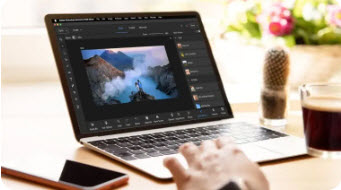
Learn new techniques – directly within the program.
No experience? No problem. Get started right away, even without prior knowledge. Expand your skills while editing in the three modes: "Quick," "Assistant," and "Advanced."
System requirements:
Windows:
- 8th generation Intel processor or higher, or equivalent AMD processor with AVX2 and SSE4.2 support; no support for Windows on ARM processors.
- Microsoft Windows 11 (version 23H2) or later; 64-bit versions only; no support for Windows 10, Windows 7 and Windows 8.1
- 8 GB RAM
- 12GB of free hard disk space for installation; additional space for downloading online content and for temporary files during installation and use (installation is not possible on case-sensitive file systems or portable flash storage media)
- 1440 x 900 pixel monitor resolution at 100% scaling; 1920 x 1080 pixels or higher recommended.
- Sound and graphics card drivers compatible with Microsoft DirectX 12
- Windows Media Player for importing Windows Media files
- Internet connection required for product activation and content download.
macOS:
- 8th generation Intel processor or higher; Apple Silicon M1 processor or higher recommended
- macOS 14 (14.4 or later); macOS 15 (15.5 or later)
- 8 GB Unified Memory
- 13GB of free hard disk space for installation; additional space for downloading online content and for temporary files during installation and use (installation is not possible on case-sensitive file systems or portable flash storage media)
- 1440 x 900 pixel monitor resolution at 100% scaling; 1920 x 1080 pixels or higher recommended.
- Internet connection required for product activation and content download.
Recommended for Windows and macOS:
- 16 GB RAM for HD media
- 32 GB RAM or more for 4K media
- 4 GB VRAM for GPU acceleration
- High-performance internal SSD for installation and cache
- Additional high-speed drive(s) for media
- Supported by Premiere Elements
- Import/export formats:
- AVCHD (import), MPEG-1 (import), MPEG-2, MPEG-4, HEVC (import), DV-AVI (import under Windows), Windows Media (import under Windows), Apple ProRes, H.264, HDV, MP3, QuickTime (certain codecs) and others
Language versions.
- German
- Portuguese (Brazil)
- Czech
- Dutch
- English
- French
- Italian
- Japanese
- Polish
- Spanish
- Swedish
The price has not changed yet. We will show it on this chart once it changes
No reviews found
- Similar Products
- Recently Viewed
© 2010 - 2026 Techbox. We ❥ new ideas