


Ashampoo Office 9 (5 PC - Lifetime) - Multilingual - Ηλεκτρονική Άδεια


Ashampoo Office 9
Create documents, calculations and presentations effortlessly – impressively compatible!
Everyone knows alternatives to Microsoft Office, but do you know of an affordable office suite that's truly fully compatible with both the latest and classic Microsoft formats? An office suite without compromises, without the hassle of getting used to it? With Ashampoo Office 9, you can create documents, spreadsheets, and presentations faster than ever. With all the features and convenience you'd expect from a modern office. Ashampoo Office 9 doesn't store your files in a cloud somewhere, but on your computer – where they belong. This office suite offers exactly what you need!
For up to 5 PCs in one household.
If you use Ashampoo Office privately, you can equip five of your computers with the program with one license! Buy just one license, and your whole family will have a powerful Office suite! Only for commercial use: one license, one installation.
- More compact PDF files due to reduced resolution
- Automatic correction of common typos in many languages
- Simple list view in the "New Document" dialog window
- Different formatting when pasting from the clipboard
- Insertion of graphics in WEBP format possible
- Improved spell check handling
- Easier editing of grouped objects
- Display the full document path in the title bar
- Direct entry of the hex value for special characters
- Automatic suggestions when inserting a hyperlink
- Improved dark mode with dark sidebars
- Dark Mode turns on and off with Windows
- Sharing documents via Windows apps
- Undo individual steps when replacing text
- File attributes such as "Compressed", "Icon position on the desktop" and "Owner" for documents
- Elegant Windows 11 style
Excellent word processing: Write
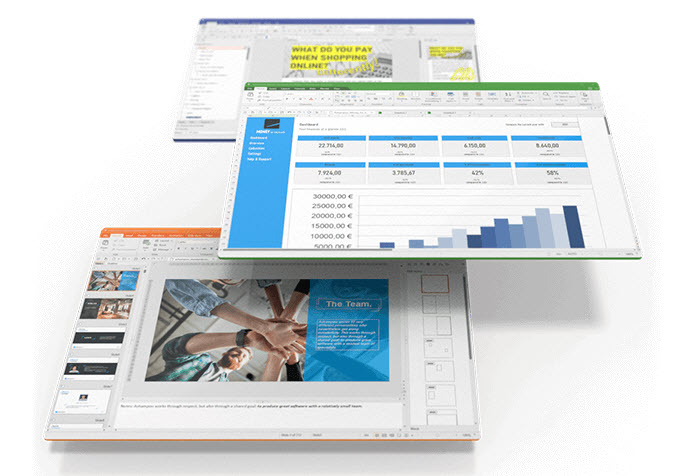
Our alternative to Word offers you a host of new possibilities. Compare two documents by scrolling synchronously, select any text area with the Ctrl key, and benefit from enhanced change tracking! Create DOCX and TMDX documents with embedded fonts that recipients can read even if they don't have the fonts installed! The new book layout shows a two-page view with the first page on the right, and table cells can now be easily rotated and lists can be numbered right-aligned. Create dummy text in a flash and filter paragraph and character styles more clearly than ever. Take advantage of these and many other changes that make Write the perfect and compatible Word alternative!
Powerful spreadsheet: Calculate
- Import and export of SQLite databases
- Sorting by colors (cell color and font color)
- Filtering by color using AutoFilter
- Custom date order for CSV files
- Dynamically retrieve chart titles, axis titles and labels from cells
- Individual decimal separators and thousand separators for CSV files
- Text in AutoShapes with dynamic reference to a cell
- Ribbon tab “Formulas” with convenient option selection for recalculation
- Sorting by custom lists in pivot tables
Calculate is the optimal replacement for Excel! Our spreadsheet is also compatible with all versions. This means no conversion for you, even with the latest file formats. The new Calculate allows import and export of SQLite databases and is much more flexible when handling CSV files. Filter by color using the smart autofilter and conveniently sort by cell color and font color! Chart titles, axis titles, and labels can now be dynamically retrieved from cells, as can the text in AutoShapes. Recalculations are a breeze with the Formula ribbon tab, and sorting by user-defined lists in pivot tables is no problem either! Use Calculate for your spreadsheets and work with all classic formats!
Presentations that impress: Present
Present is an ideal PowerPoint alternative, boasting ease of use and a logical structure. The new Present offers you new, dynamic slide transitions for every purpose, which are, of course, also compatible with PowerPoint! Finally, created presentations can also be played back with sound and video on Linux. Table cells can be easily rotated using the Table ribbon tab, and full-screen mode becomes even more flexible by toggling the rulers on and off. Create inspiring or informative presentations with ease – seamlessly compatible with MS Office and PowerPoint, of course!
Perfect word processing: Write
- Mark any text area with the Ctrl key
- Comparative, synchronous scrolling of two documents displayed side by side
- Creation of TMDX and DOCX documents with embedded fonts
- Recipients see documents in fonts they have not installed
- Change tracking optionally shows deletions in the comments section
- New “Book Layout” view, with first page on the right in two-page view
- Filtering paragraph and character styles by "All Styles", "Used Styles" and "Styles in Document"
- Ribbon tab “Table” with element for rotating table cells
- Display spaces as dots for all Unicode variants
- Numbered lists with leading zeros
- Right-alignment of numbering in lists
- Quickly create dummy text
With the modern Word alternative Write, you can create documents of any size in no time – whether it's a greeting card, business letter, brochure, or entire thesis. Even in large documents, you'll never lose track thanks to page thumbnails and clickable tables of contents! With the unique object mode, you can freely position graphics, drawings, and text within the document. Thanks to the real-time word counter, you always know the exact length of the document and can therefore ideally write "to length." Professionals can even use SQLite and dBASE databases, and mail merges from XLSX files are possible. Microsoft Word-compatible footnotes and endnotes in the same document enable professional work at the highest level; you won't miss a thing! And thanks to the native use of the DOCX file format, your documents are compatible with all versions of Microsoft Word. Of course, you can not only print the finished documents, but also share them as PDFs or e-books.
Excellent spreadsheet: Calculate
The powerful spreadsheet Calculate lets you easily create calculations, tables, and charts of any complexity. From a simple timetable to a company's entire financial planning, this Excel replacement offers you the full range of features. And if an error has crept into your worksheet, syntax highlighting and formula checking quickly reveal the source of the error. With over 350 calculation functions, easy-to-use tables, and huge worksheets with a million rows, Calculate is suitable for calculations of all kinds. Professional features like pivot tables offer advanced users maximum utility; every detail has been thought through. The practical page break preview makes it easy to prepare printouts after completing your work. Calculate uses the XLSX file format – just like Microsoft Excel!
Effective presentations: Present
- New dynamic PowerPoint-compatible slide transitions
- Sound playback and video in presentations now also in Linux
- Element for rotating table cells on the ribbon tab “Table”
- Turning rulers on and off in full screen mode
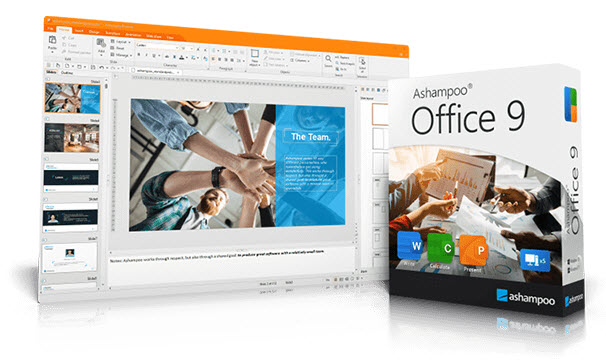
Present is the powerful counterpart to PowerPoint. Easily create presentations that will impress everyone! With Present, you can also create self-running slideshows that can be played on any computer without having to install any software! Thanks to breathtaking animations and newly designed slide transitions, as well as a sophisticated master page concept, you are perfectly equipped for any presentation. You can create as many master layouts as you like, on which you can position any placeholder with just a few clicks. This not only ensures a consistent look for your presentation, but also seamless compatibility with PowerPoint! Numerous ready-made design templates that can be redesigned at the touch of a button take a lot of work off your hands. Give presentations that certain something with graphics, diagrams, sound, videos, and animations. Managing these objects is child's play with the Media ribbon tab! Since Present also uses the common PPTX file format, exchange with Microsoft PowerPoint is seamless.
Variable interface: Classic or Ribbon Style
With Ashampoo Office 9, you have the choice! Of course, the classic menu interface, which many have used since early Office versions, is still there. If you're an Office traditionalist, you'll find what you're looking for here! The modern ribbon interface is also available, making Ashampoo Office's vast range of functions particularly quickly accessible to all users. Incidentally, even in ribbon mode, you can access all functions via the menu. This makes the transition from the old interface particularly easy. Whether you're old school or a fan of the modern layout, Ashampoo Office satisfies everyone!
Effortless switching between MS Office and Ashampoo Office!
Save yourself the hassle of importing and exporting: Ashampoo Office uses the original Microsoft formats DOCX, XLSX, and PPTX as standard file formats! Even mail merges are now easily possible with XLSX. This allows you to edit your documents directly in Microsoft Office without conversion. When you receive an Office document, simply open it, continue editing, and then save it. The formats remain unchanged; even the latest versions like Office 2019 or Office 365 are no problem. You or anyone else can then simply open the document with MS Office and continue editing! No content or formatting will be lost!
Treat yourself to the Office suite with the sensational price-performance ratio! Buy once and use it as long as you want!
System requirements:
Operating system:
Windows® 11, Windows® 10.
Requirements:
Any device that supports the operating systems listed above.
Other:
An internet connection is required to activate the program. The program license is checked regularly.
System administrator rights are required to use the program.
Languages: Greek , English, German, Spanish, Polish, French etc.
- Windows
The price has not changed yet. We will show it on this chart once it changes
No reviews found