


Corel Video Studio Ultimate 2023 Full Version for Windows - Lifetime - Multilingual - Ηλεκτρονική Άδεια


Video Studio Ultimate 2023
Turn the best moments of your life into unique movies with this powerful video editor that stands out for its advanced tools, premium effects, smart features and optimal performance.
Simple and intuitive video editing!
With VideoStudio Ultimate's easy-to-use tools, you'll create your best videos yet! Achieve unique transformations with exclusive premium effects from industry leaders and advanced editing tools like color grading, video masking, 3D titling and the new audio cues. Speech-to-text conversion saves you time creating subtitles, and face recognition technology helps you cut videos faster. Take advantage of a full suite of powerful features to create videos that not only impress, but inspire!
Stage your life.
What are the possibilities of VideoStudio?
With the powerful tools and amazing effects of this easy-to-learn video editor, you can easily create stunning movies.
Record
You can import your own clips, record the screen, or use built-in tools to capture video from multiple cameras.
Editing
Go beyond basic editing with advanced tools, experiment with customizable filters and transitions, and apply high-quality effects.
Share
You can export your projects to popular formats and devices, upload directly to YouTube, or burn to disc with a custom menu.
Everything you need to create great movies:
VideoStudio's extraordinary combination of an easy-to-understand user interface, beginner-friendly tools and practical tutorials has been enhanced with groundbreaking creative features that make video editing even more fun!
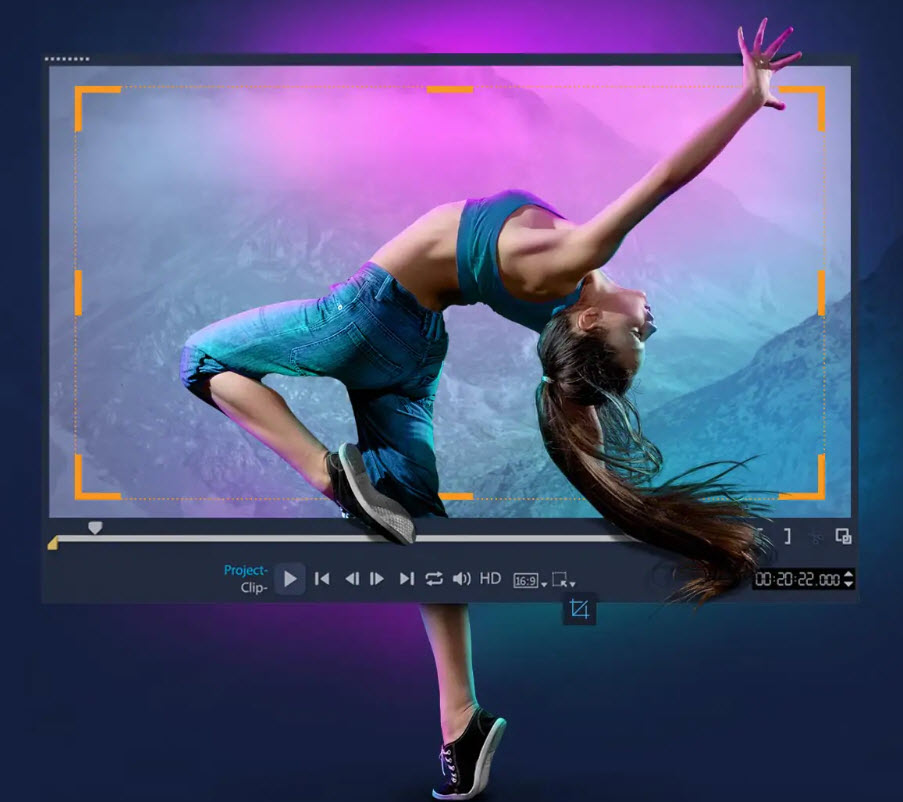
Basic edits
From basic editing tools like 'Fit' and 'Move' to simple selection tools and lens corrections, VideoStudio gives you all the essentials for basic editing.
Drag and drop
Turn your recordings into sophisticated movies by adding graphic elements, animated titles and transitions. For example, convert titles into realistic handwriting or apply animated pen effects.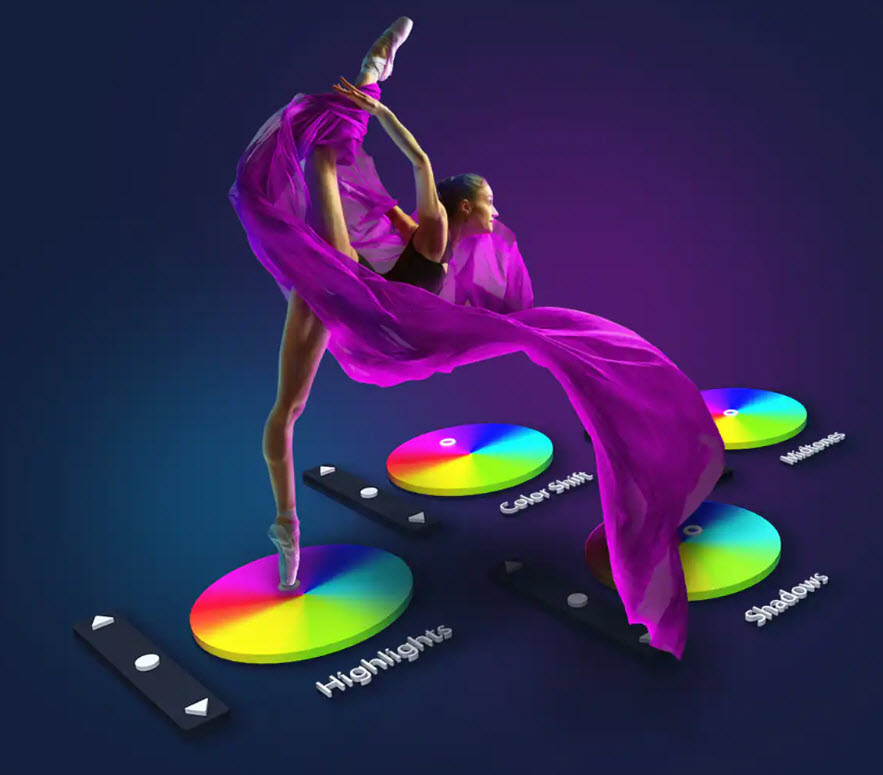
Fix and enhance
Boost colors and use color grading to shift the color scheme of the whole video, experiment with motion blur and stabilize shaky footage - surprise yourself with the results!
Apply Effects
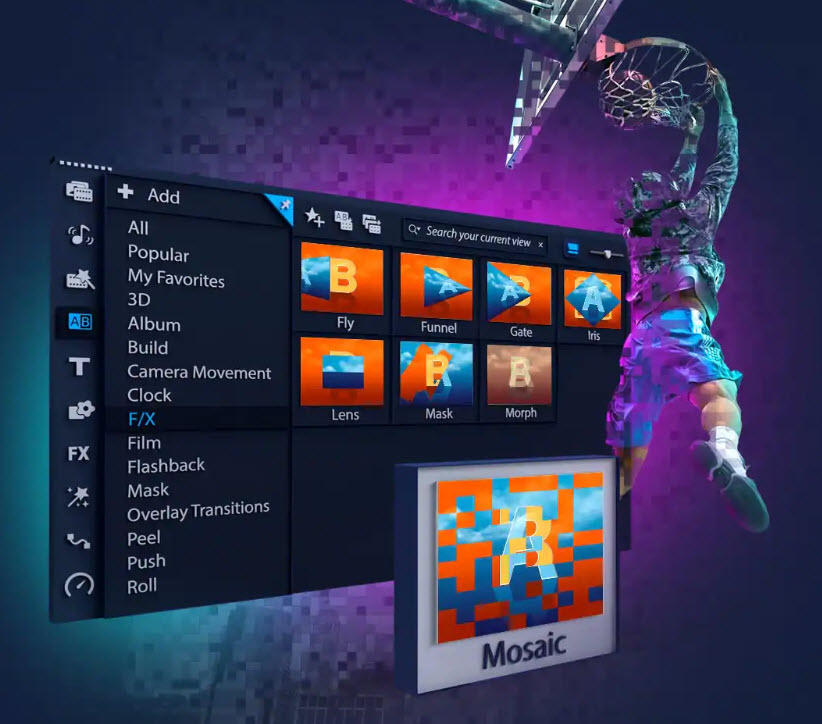
Blend overlays creatively, apply premium effects and animated AR stickers, and retouch faces with Face Effects. Add morph or seamless transitions, dynamic and 3D titles, then enhance your movies with new title and transition effects that give them a modern look!
Advanced tools
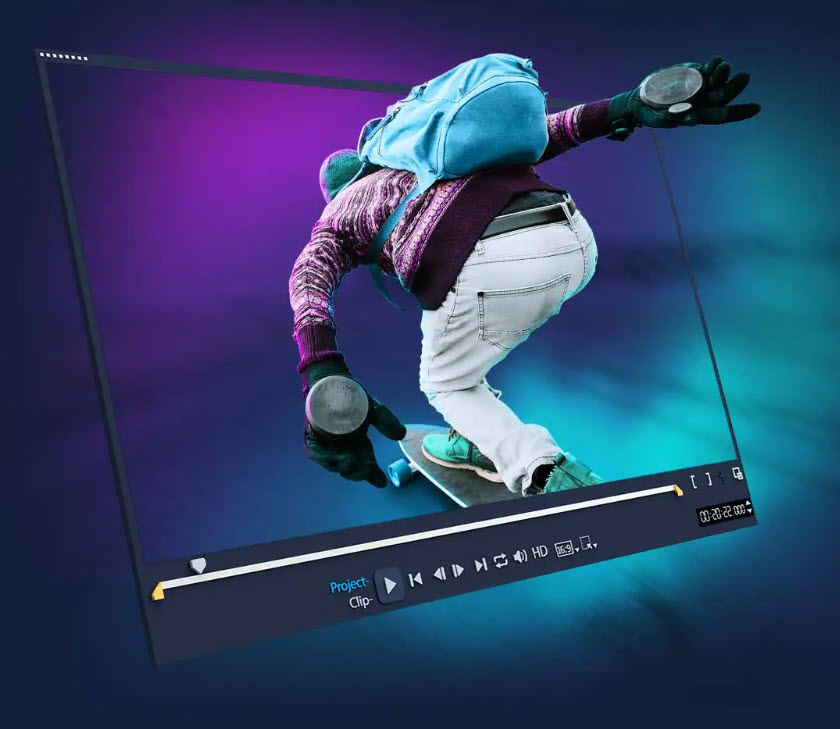
Achieve cinematic effects with mask maker, split screen template maker and GIF maker. With multi-camera editing, you can present multiple perspectives and also optimize your panorama shots with the 360° editor. And with animation and speed effects, you can achieve uniquely dynamic results.
What's new in VideoStudio 2023:
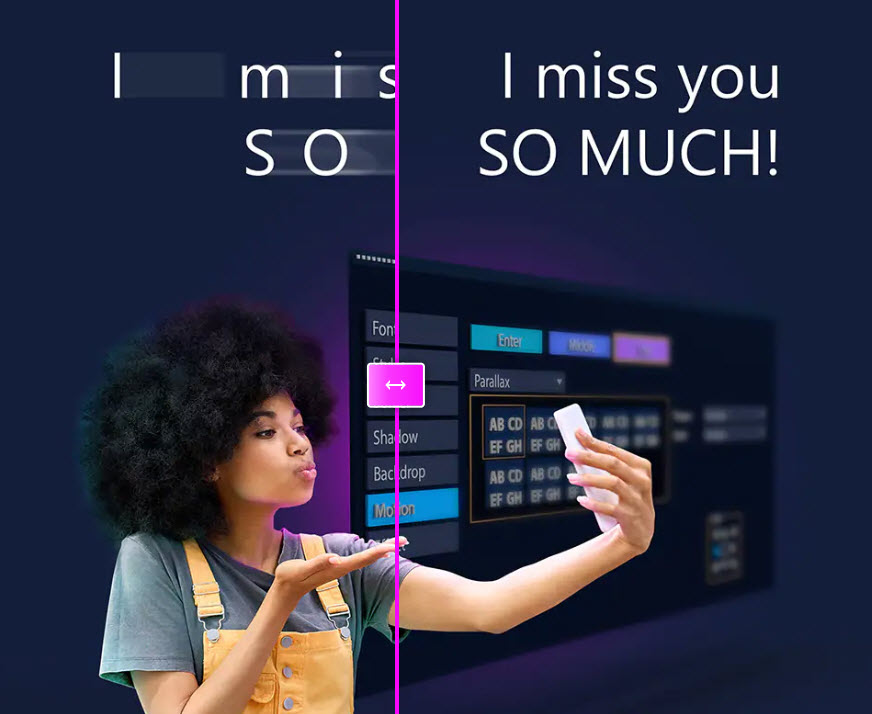
Title Editing Features and Title Effects Title Animation Options New In/Middle/Out options allow different title effects to be applied to different stages of a title animation. With the new ability to stitch and edit titles, you can set different motions for each component of the title and then quickly preview them. Title Effects Create stunning animated titles with the new title effects:
- Parallax titles use speed to pull text and characters.
- With kinetic titles, different speeds are applied to the text to create a variety of title animations.
Transition effects
The new parallax transitions create a fascinating 3D-like effect with foreground and background planes moving at different speeds.
The new transition effects 'Instant Color Change' and 'Split' give your videos a modern look and improve the overall impression of your films.
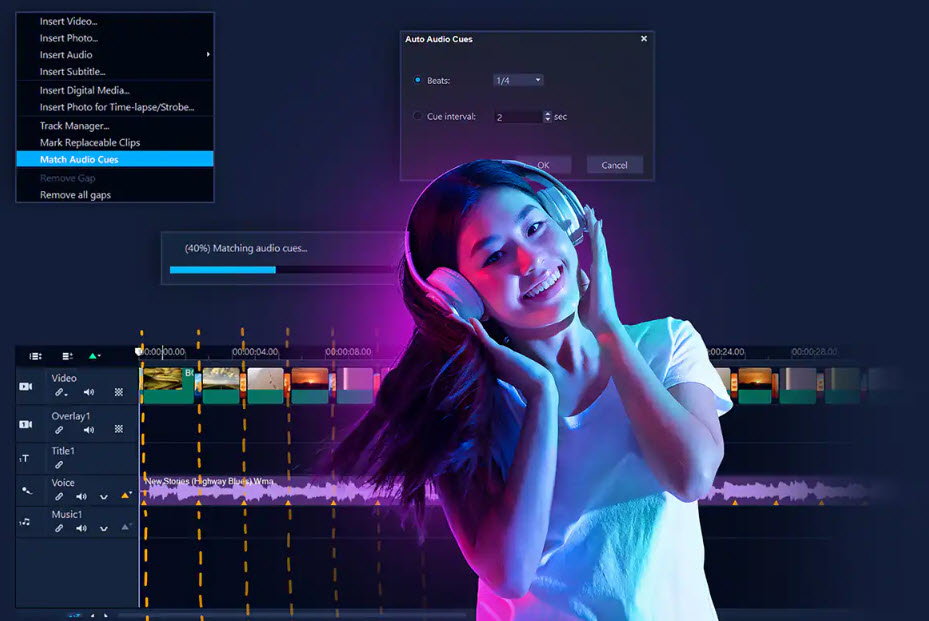
IN ULTIMATE ONLY Audio cues You can manually or automatically add audio cues to the music clip and align your video's timeline to these markers to adjust the duration of each clip and keep your videos in time with the music. Expanded Song Selection Over 500 new songs have been added to the Scorefitter music library so you never run out of options! Selecting, inserting and enjoying the right soundtrack has never been easier.
New format support
IN ULTIMATE ONLY
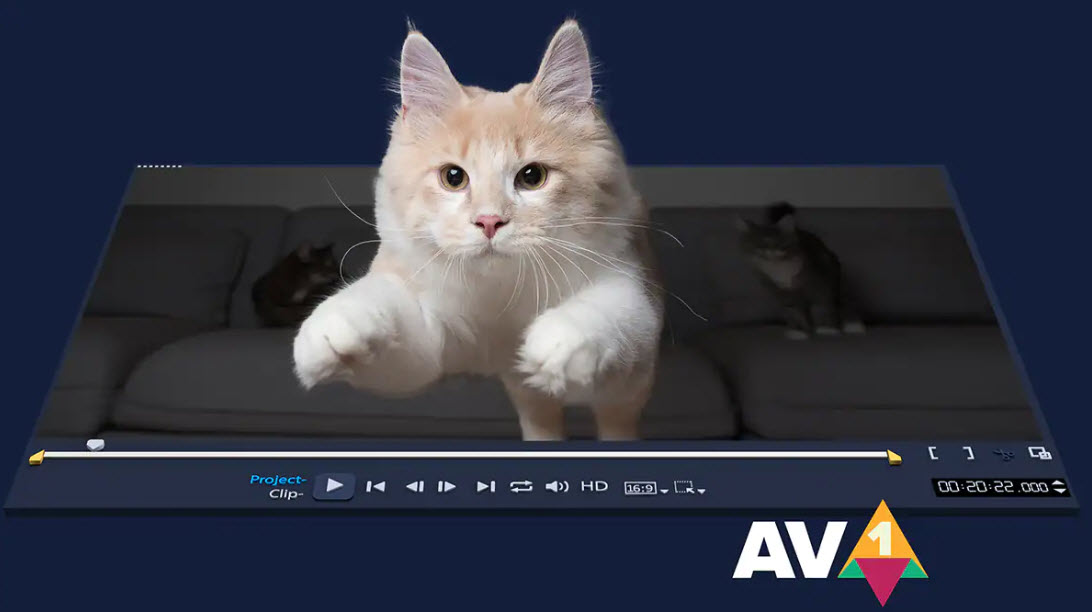
AOMedia Video 1 (AV1) decoding/encoding
To further simplify the workflow, VideoStudio 2023 Ultimate enables AV1 decoding and encoding between different chips, such as Intel, AMD and nVidia. AV1 hardware acceleration is also supported:
- 11th generation Intel chip: speed up decoding
- Intel Arc: Speed up encoding and decoding
8K video decoding
Due to the rapidly growing number and variety of devices supporting 8K capture, VideoStudio has been optimized for 8K. This allows you to import and further edit 8K videos.
Other Optimizations
Significant performance optimizations and several user interface improvements simplify and speed up the editing process.
Rendering Performance
Intel OneVPL and Deep Link Hyper Encode integration improves performance and increases CPU and multiple GPU efficiency.
User Interface Improvements
Selected features and general usability have been improved. The program offers you a wide range of customization options that will allow you to quickly and efficiently achieve unique results!
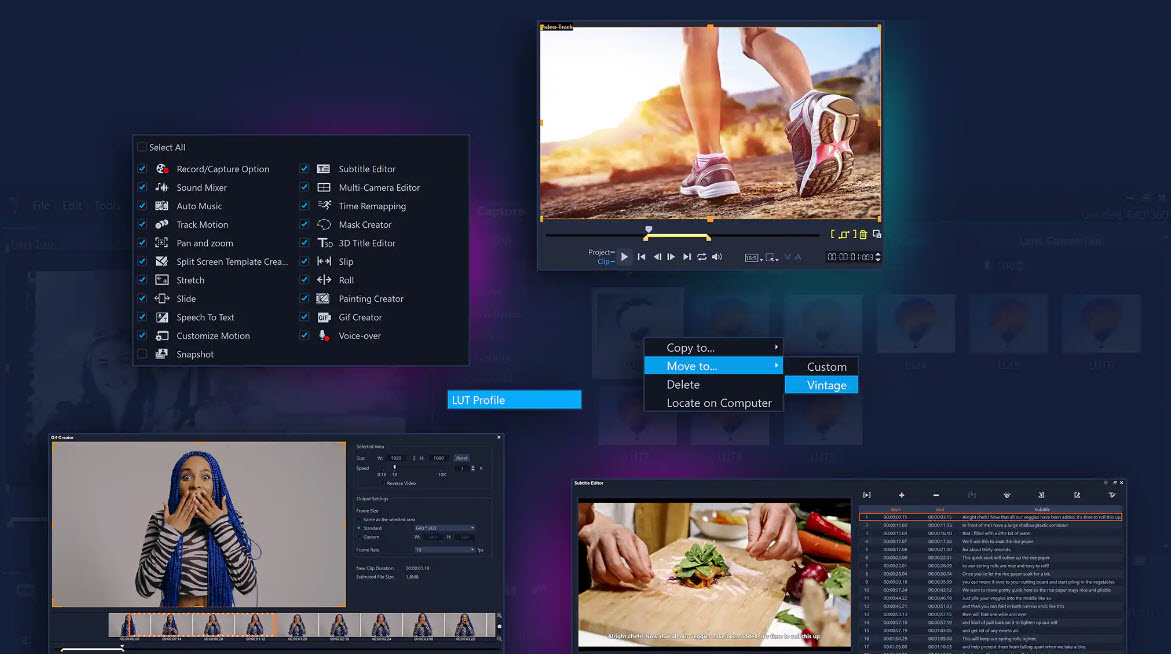
- The Customize Toolbar option list gives you one-click access to your most commonly used tool icons (new tool options include Customize Motion, Voiceover Recording, and Snapshot).
- The enlarged waveform preview and improved volume controls simplify audio editing.
- GIF creation is accelerated by loading the projects directly into the improved GIF maker.
- LUT management has been simplified - LUTs can be seamlessly moved from one folder to another.
- Quickly copy or delete portions of your recordings with improved mark-in and mark-out tools.
- Subtitle editing is smoother with new keyboard shortcuts - you can move up to 10 frames in either direction.
- Using the YouTube .SBV subtitle format makes it possible to add multilingual subtitles to videos and saves a lot of time when creating new video projects.
- Take advantage of an expanded list of supported cameras, including the latest Canon and Nikon Camera SKD, to create stop-motion animations.
- In order to create smooth transitions between the individual scenes, you can set the minimum default transition duration to 0.1 seconds in the settings.
A video editing program with unique features
Get the results you want with VideoStudio's comprehensive suite of innovative tools and features. Benefit from a comprehensively equipped video editing program with which you can easily implement projects of all kinds.
Capture and edit multi-camera footage
Multi-camera and screen capture
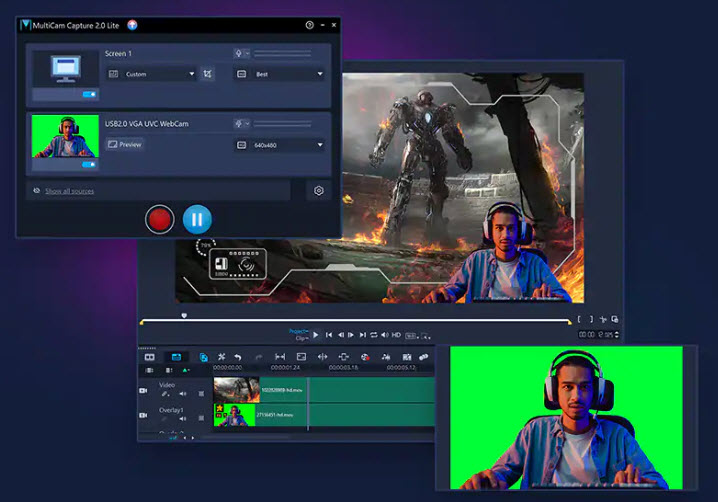
MultiCam Capture 2.0 Lite lets you capture the screen and either the webcam or a second screen at the same time. Record image and sound with one click, then seamlessly edit them with multi-camera editing.
ONLY IN ULTIMATE
Multi-camera video editing from up to 6 angles
From any angle Combine, synchronize and edit recordings from multiple cameras and select the desired angle during video playback. Add picture-in-picture effects to present the best perspectives simultaneously, then edit the movie on the timeline. Combine up to 6 perspectives with VideoStudio Ultimate.
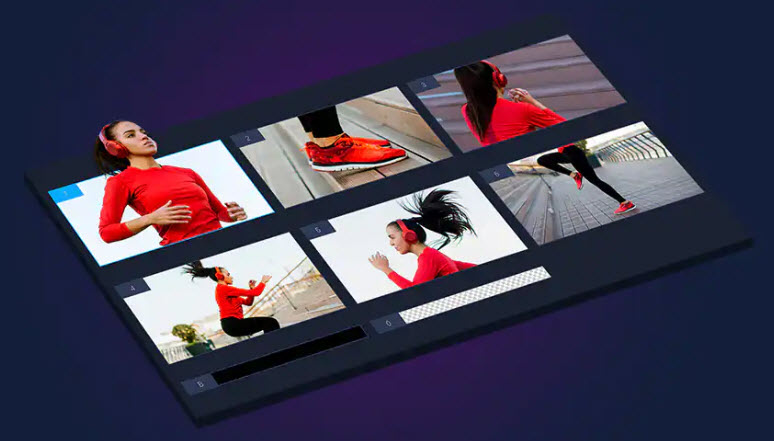
ONLY IN ULTIMATE
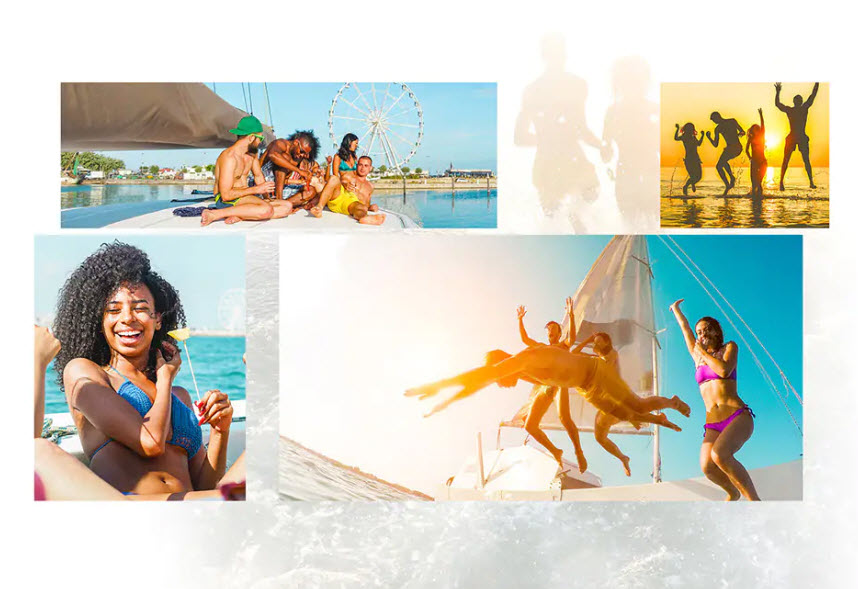
Split Screen Template Maker
Available only in the Ultimate version, the Split Screen Template Maker makes it possible to combine shots into videos and present several different shots at the same time with various picture-in-picture effects. Customizable templates give you a jumpstart when creating split-screen projects. However, you can also create your own templates with customized motion effects, various animations, and graphics to grab viewers' attention.
Basic Video Editing Tools
Crop, Trim, Rotate, Shrink, Enlarge
You can crop, trim, and split your videos right on the timeline. Rotate video clips or change the aspect ratio with just a few clicks.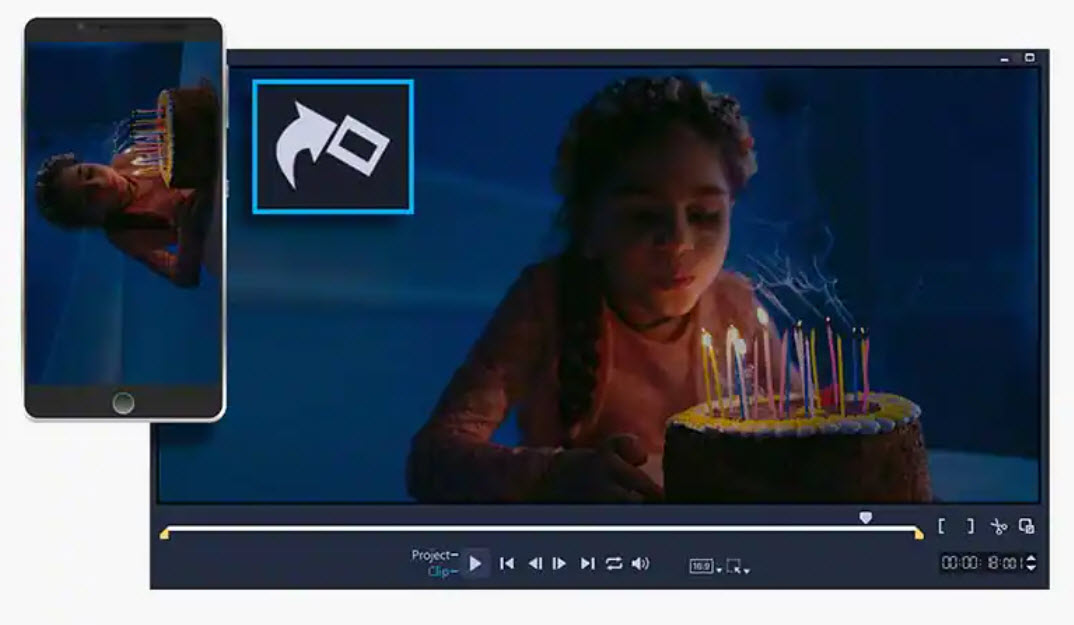
Correcting Flaws
Lens corrections correct fisheye distortions caused by wide-angle lenses or action cameras. You can also correct the colors to adjust the temperature of the light.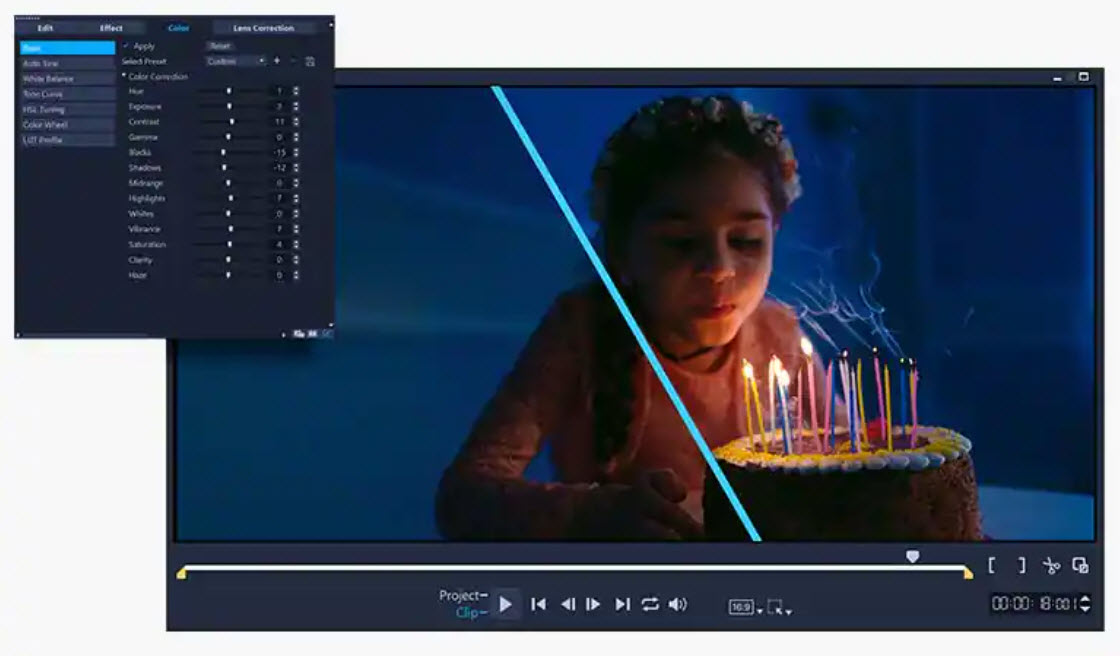
Start your projects with a template and add titles
Save time and mimic popular styles with instant project templates and preset titles—enjoy simple drag-and-drop video editing.
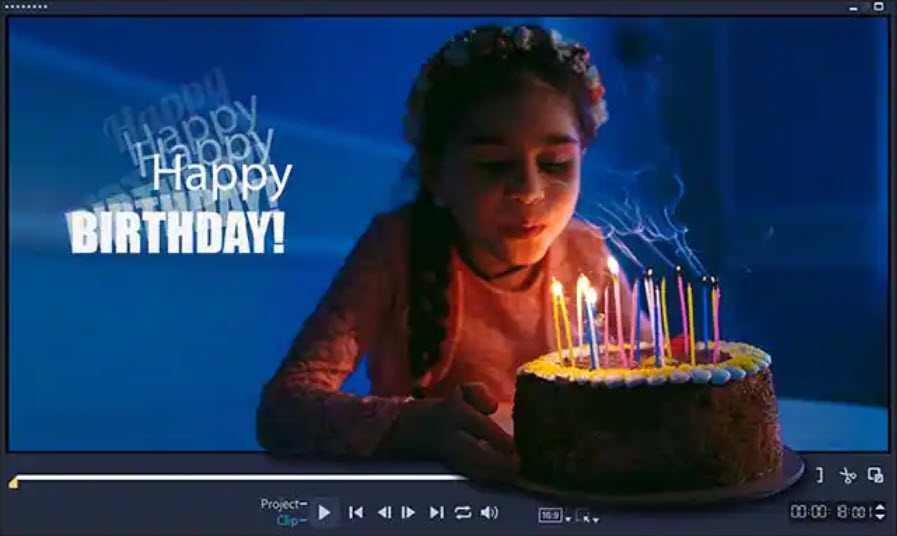
Turn your recordings into movies with titles and transitions
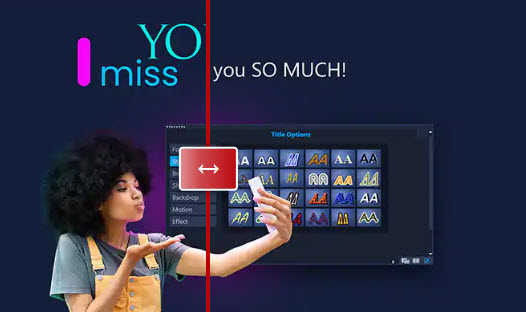
Create Titles Any Way You Want
Experiment with different fonts and colors to match the style and mood of your video. Animate them and bring your story to life with title effects!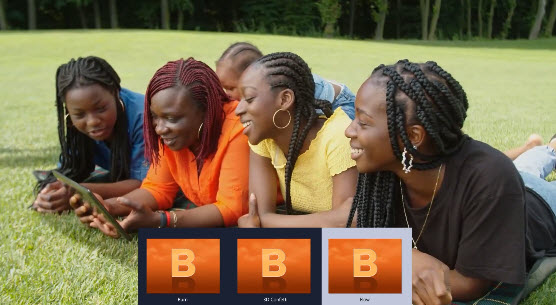
Seamless results with transitions
With a variety of transitions you can enhance your video stories: from simple transitions to black, smooth fades or wipe effects to dynamic camera movements with motion blur. Unique transitions can be created through effects and customization.
Get creative with colors
ONLY IN ULTIMATE
Color Grading
Only Ultimate provides access to comprehensive color grading tools to create the right mood in all settings. With different video panes and intuitive controls, you can shift colors and fine-tune your changes with ease. Brighten scenes, influence the mood with accent colors and enhance the ambience of your films.
color correction
Use intuitive controls to correct and enhance colors, brighten scenes, use accent colors to affect mood, and increase image brightness. Access hue, saturation, and white balance controls, as well as automatic hue adjustments to bring out colors more. Play with the colors to create unique projects.
LUT Profiles
With LUT Profiles, you can turn day into night, mimic the color scheme of famous films, and quickly apply advanced color effects to your projects.
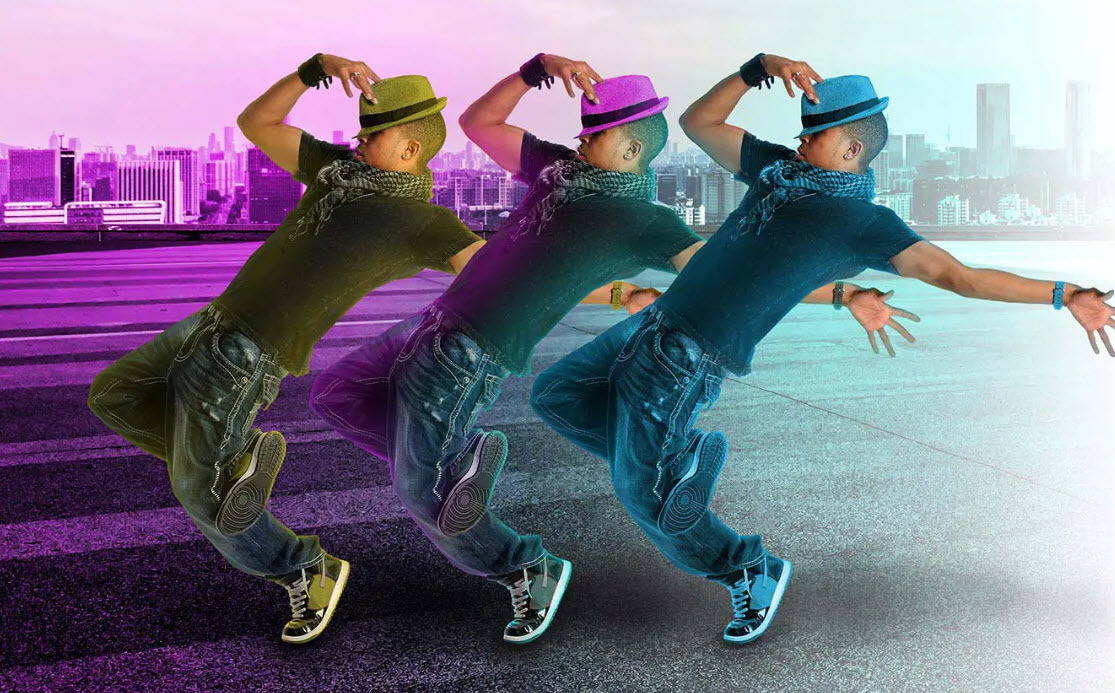
ONLY IN ULTIMATE
Mask Maker
The Mask Maker is a powerful video editing tool that can be used for both simple corrections and advanced creative edits. With video masks, you can replace generic masks, apply effects only to masked areas, clone and overlay objects, or remove distracting elements from clips for truly unique transformations.
Filters, overlays, and more creative tools to help you create stunning videos
Creative Filters
Add an artistic touch to your projects with hundreds of drag-and-drop creative filters. Refine your videos with new textures, gradients and reflections, mimic pencil sketches or watercolors and much more.
Graphics and Overlays
Drag animated overlays and graphic elements into your video to add extra depth to scenes.
Animated AR Stickers
With animated AR stickers you can mask faces, deepen emotions and add playful moments to your videos.
ONLY IN ULTIMATE
Extend the capabilities of VideoStudio with high quality plugins
Leverage the applications of proven industry leaders: For a small premium over VideoStudio Pro you get a variety of exclusive effects worth hundreds of dollars.
NewBlueFX Essentials
Achieve professional results with minimal effort and increase your productivity. Benefit from tools such as "Selective Focus", "Video Tuneup", "Lens Correction" or "Color Fixer Pro".
proDAD Adorage
Benefit from more than 400 overlay effects to create video transitions. In the video effects package from proDAD Adorage you will find the right effect for every occasion.
proDAD Mercalli V5
Apply real-time corrections to stabilize footage and de-shake hands-free videos - even with very fast movements. Remove distortion and warp caused by panning.
proDAD RotoPen
Apply animated pen effects to maps, photos, etc. or to any path and illustrate an itinerary with lines and graphics.
proDAD Handscript Animation
Animate your titles or use proDAD's animated handwriting effects to transform your titles into realistic handwriting.
NewBlueFX Elements
Enhance your videos with high-quality effects with "Auto Pan", "Gradient Fill Pro", "Background Generator", "Picture-in-Picture" or "Luma Key".
proDAD Vitascene LE V4
Make your videos look like old movies or give your films a special elegance with rays and glitter. Use truly unique, cinematic transitions, filters and effects.
NewBlue Titler Pro 5
Choose from over 100 templates to create stunning titles in seconds, then customize text and colors!
NewBlueFX Filters
Solve everyday production problems and boost your creativity. Turn day into night, experiment with Color Replace, use Selective Color, try Old TV and much more!
NewBlueFX Stylizers
Discover all stylizer effects! From Air Brush and Earthquake to Shear Energy, Warp, Wiggle, Zoom Blur and more!
NewBlueFX Transitions
Try transitions like 3D Confetti, 3D Sliced Cubes, Color Melt, Paper Collage, and Smear.
Quick Slideshow and Movie Creation
Turn your media into stunning slideshows and movies with a variety of slideshow creation tools. For example, the AI-powered Highlight Reel feature automatically selects the best shots and clips for you.
Save time with trendy features
Face Effects
With face effects you can enhance your lifestyle videos and create Instagram and TikTok videos or funny clips! Use simple controls to make skin more beautiful and smooth, or adjust face widths and eye sizes to refine facial features.
GIF creation
With the new GIF maker, you can capture a section of your video and turn it into a short looping clip.
Convert speech to text Convert
speech to text quickly and easily with a time-saving new tool for creating movie subtitles.
ONLY IN ULTIMATE
Face Indexing
With face indexing, you eliminate the manual and time-consuming task of searching through video content. It uses facial recognition to quickly find and extract footage of individuals in a video.
Play with motion and speed effects
Change speed
Play with time remapping and use the variable speed to create slow motion and fast motion effects, freeze the action or play a scene backwards and repeat.
Pan and zoom
Use pan and zoom effects to draw viewers' attention to the main story, highlight important moments and ensure the central subject is always clearly visible.
Custom Motion Paths
Use flexible controls to create graphics, overlays, and titles that move along a path and customize the motion.
Motion Tracking
Track an object in your video with precise motion tracking tools, add moving text or graphics to the object, and blur faces, logos, and license plates.
Stop Motion Animation
Plug in your camera or use your webcam to create a fun stop motion animation!
Painting studio
In the painting studio, you can record brush strokes that can then be inserted into your videos as animated drawings.
360° Editor for Surround Views
360° Video Editing
Cover all dimensions with the all-in-one 360° video editing solution. Cut, edit and enhance your 360° videos on the timeline and add titles and music.
Little Planet and Rabbit Hole effects
Give your audience a new perspective and transform 360° footage with Little Planet or Rabbit Hole effects (spherical panoramas). Convert Formats Convert single fisheye and dual fisheye images into equirectangular or spherical panoramas. Control the angle of view and convert 360° videos to standard flat videos for playback on TVs and standard video devices. Export of 360° videos
Export your 360° videos for playback on VR glasses or a 360° player. You can also upload the videos directly to YouTube!
Record, edit and mix sound
Master the audio Audio
can be adjusted, muted or overlaid directly on the timeline. You can adjust the audio level across clips to get clear dialogue and harmonic results.
Add Sound Effects and Royalty Free Music
Choose from hundreds of sound effects to highlight key moments! You can easily import your own music or select a track from Scorefitter, our royalty-free music library, which automatically adjusts to the length of the project.
Muffle and overlay audio tracks with audio ducking
Use built-in audio ducking to automatically reduce background noise during voice overs, so your voice overs or music track is heard loud and clear.
Record Voiceovers
Record narration or additional dialogue with the built-in voiceover tools!
Captivate and expand your audience
Export your videos to popular formats or devices
Upload your videos directly to YouTube or Vimeo
Burn your videos to disc with over 50 customizable menus and chapters
Technical specifications:
system requirements
- Operating system: Windows 11, Windows 10, Windows 8, 64 bit only
- Processor: Core i3 or AMD A4 series for standard videos. Intel Core i7 or AMD Athlon A10 for HD and UHD videos
- RAM: 4GB or higher; at least 8 GB is recommended for HD and UHD videos
- Graphics card: Minimum screen resolution: 1366 x 768, at least 512 MB VRAM is recommended for hardware acceleration
- Sound card: Windows compatible sound card
- Hard disk space: At least 10 GB for a full installation
- An Internet connection is required to install, register and update the software.
export formats
- Videos: AV13, AVC, AVI, DV, GIF89a, HDV, M2T, MOV2 (H.264/HEVC1), MPEG-1/-2/-4(H.264/HEVC1), UIS, UISX, WebM, WMV, XAVC S, 3GP
- Devices: DV, HDV
- Disc: DVD, AVCHD, SD Card, Blu-ray ($)
- Internet: YouTube, Vimeo
- Audio: M4A, OGG, WAV, WMA
- Images: BMP, JPG
import formats
- Videos: AV13, AVCHD (.M2T/.MTS), AVI, DV, DVR-MS, GIF89a, HDV, M2TS, M4V, MKV, MOD, MOV2 (H.264/HEVC1), MPEG-1/-2/- 4(H.264/HEVC1), MXF, TOD, UIS, UISX, WebM, WMV, XAVC S, 3GP, non-encrypted DVD titles
- 360° video: equirectangular, single fisheye, dual fisheye
- Audio: AAC, AC3, Aiff, AMR, AU, CDA, M4A, MOV, MP2, MP3, MP4, MPA, OGG, WAV, WMA
- Images: BMP, GIF, JPG, MPO, PNG, PSD, PSPImage, TGA, TIF/TIFF, UFO, WBM, WBMP, WMF, Camera RAW
Accesories
- A DVD burner is required to create DVDs and AVCHD discs
- Burning Blu-Ray requires the purchase of a separate plugin that can be purchased directly from the application
Supported languages
- English, French, German, Italian, Dutch, Traditional Chinese, Simplified Chinese, Japanese
1 HEVC support requires Windows 10 or Windows 11 and appropriate PC hardware or graphics card. Microsoft HEVC Video Extension must also be installed.
2 Support for Cineform alpha channel video import and output
Product specifications are subject to change without notice and without obligation.
- Windows
The price has not changed yet. We will show it on this chart once it changes
No reviews found