










Tungsten OmniPage 19.2 Ultimate for Windows - 1 User - Lifetime - Multilingual - Ηλεκτρονική Άδεια



Tungsten OmniPage Ultimate 19.2 (formerly Kofax)
OCR software for Windows
OmniPage Ultimate is the fastest, most accurate way to convert paper, PDF files and even digital photos into common PC file formats for editing. Its outstanding accuracy makes it the ideal OCR solution for SMBs and larger companies looking to increase productivity.
- Create editable text that can be used immediately in word processing or spreadsheet applications
- Support for numerous output formats, including PDF, Microsoft® Word, Excel®, PowerPoint® (pptx), Corel® WordPerfect®, HTML and many more
- Perfect formatting through faithful conversion – including columns, tables, numbering and graphics
- Recognition of over 120 languages based on the Latin, Greek and Cyrillic alphabets, as well as Chinese, Japanese and Korean
- Fully automated, schedulable batch processing for converting large volumes of documents from specific folders or your inbox
- Integrated automatic redaction and highlighting functions to automatically obscure confidential content in the document or to highlight important information
- Includes PDF Create and PaperPort Professional

Overview:
Business-focused OCR software
With OmniPage Ultimate™ Convert documents to edit, search and share for a seamless workflow. Your workforce can reduce the time spent converting files, lower operational costs, and easily manage and share documents.

Convert business-critical documents into ready-to-use data and editable formats.
Automatically send converted files to a pre-programmed workflow.
Use OCR technology to scan documents in any format and share them across any network.
Features:
How OmniPage Ultimate can help you
PDF Search
Use eDiscovery Assistant to securely convert a single PDF file or batches of PDFs into fully searchable documents.
Batch Processing
Schedule large volumes of files for batch processing from folders or emails with unattended automation for real-time document processing.
Speech Recognition
Process, edit and save documents from virtually anywhere in the world. The tool recognizes over 120 languages.
Improved Accuracy
Amazing OCR accuracy from digital camera images. Document layout improvements allow your documents to be reproduced in a variety of output formats.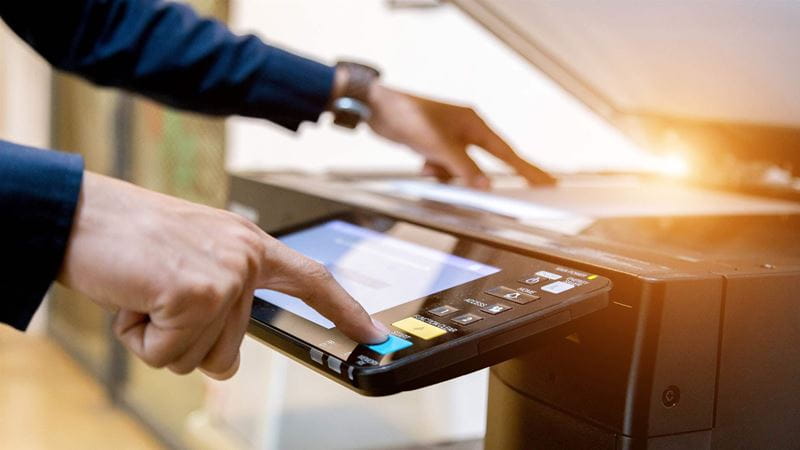
Scanner integration
Works with mobile scanners, desktop scanners, all-in-one and multifunction printers.
Supported Applications Supports
a variety of output formats including PDF, Microsoft Office, Corel WordPerfect, HTML, ePub and many more.
OmniPage Launchpad
OCR for any format, anywhere on the network. Archive documents and access them on any device.
Document Capture from Mobile Devices
Capture text with a digital camera or smartphone and quickly convert images into text documents.
System requirements:
- Windows 11, Windows 10 32- or 64-bit versions, Windows 8 32- or 64-bit versions, Windows 7 32- or 64-bit versions, Windows XP 32-bit version with Service Pack 3
- Windows Server 2008 R2, Windows Server 2012
- A computer with a 1 GHz Intel Pentium or higher or equivalent processor
- 1 GB RAM, 2 GB recommended
- Microsoft Internet Explorer 8 or higher
- 2.7 GB total disk space for all components: 300 MB for application components plus 100 MB during installation, 200 MB for PDF Create, 700 MB for PaperPort
- DVD drive for installation if no digital download is used
- WIA, TWAIN or ISIS scanner driver
- color monitor with 1024 x 768 pixels
- 2-megapixel digital camera with autofocus or higher for text capture with the digital camera
- Web access required for online activation, registration and live update
Note:
OmniPage is available for Windows only and is not Mac compatible.
Performance and speed will be improved if your computer's processor, memory, and available disk space exceed the minimum requirements.
- Windows
Η τιμή δεν έχει αλλάξει ακόμα. Θα εμφανιστεί σε αυτό το γράφημα μόλις αλλάξει.
Δε βρέθηκαν Κριτικές